Key Takeaway
- Our automated PTE exam booking process works 24/7.
- Start on our pricing page and choose the correct exam-booking package.
- If we do not already have your contact details, enter them in the popup before payment.
- After payment, open the private booking form sent through WhatsApp.
- Enter your PTE test, account option, test centre, date and time.
- Check the booking details we send back to you.
- Select Details are correct only when everything is right.
- Our automation then completes the booking and sends the WhatsApp update.
- Check the completed appointment in your own myPTE account.
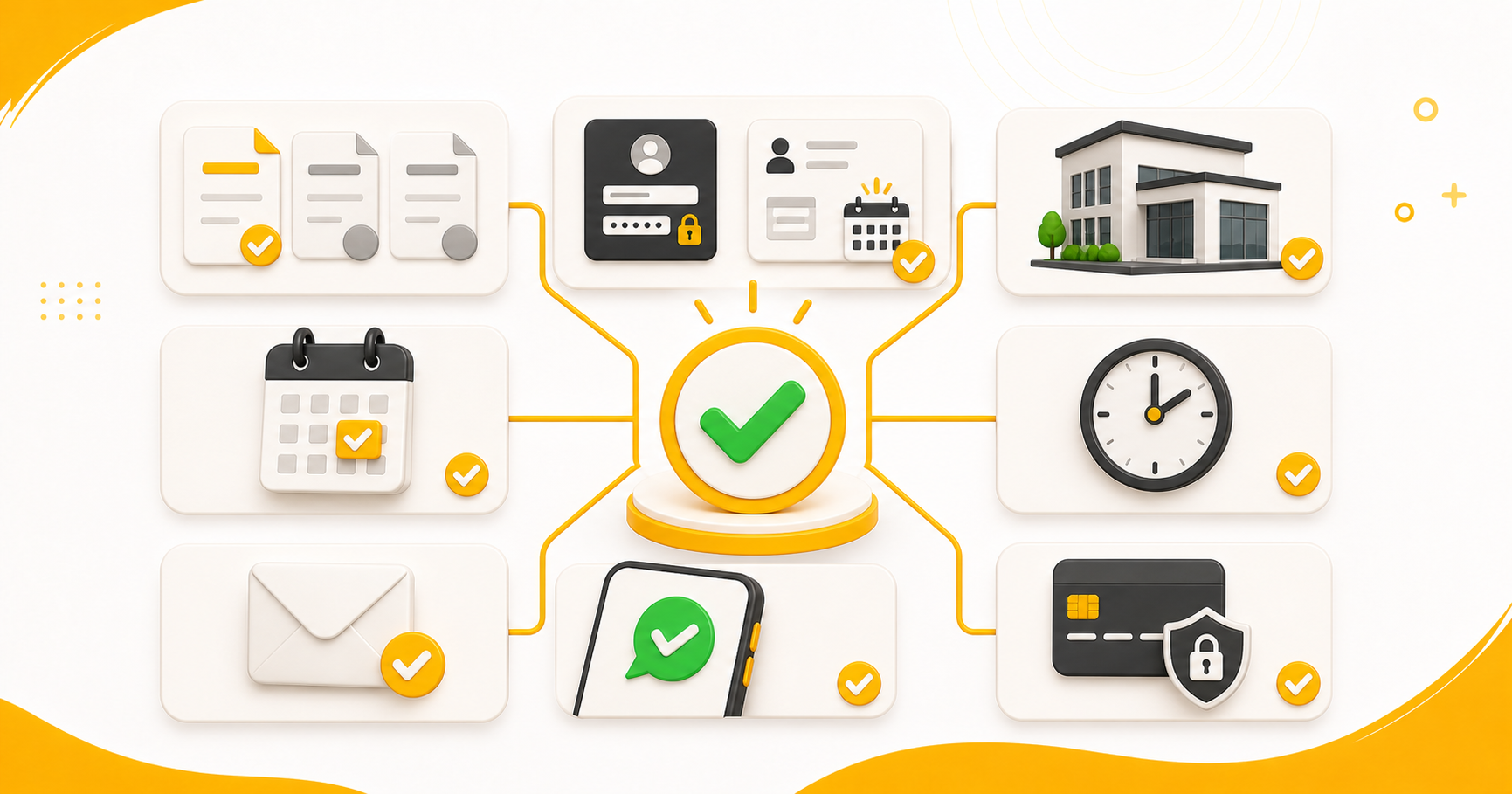
You have chosen a PTE date. You know the city and test centre. You are ready to book.
Then the booking journey starts asking for one detail after another. You check the test, centre, date, time, account and payment. If somebody else is helping you, you may also have to repeat the same information through calls and messages.
We built our automated PTE exam booking process to make this part easier.
You choose the important details. We connect your package, payment, private booking form, final review and appointment inside one process. When everything is ready and you approve the details, our automation can complete the booking stage in about 60 seconds.
There is no waiting for a callback and no need to explain the same preferences to different people. The process is available 24/7, including late nights, Sundays and public holidays.
That sounds quick because it is quick. But quick should never mean unclear. Let us slow the explanation down and show you exactly how our PTE exam booking in 60 seconds works.
What Does PTE Exam Booking in 60 Seconds Mean?
The 60 seconds refers to the automated booking stage after your payment, account connection, slot preference and approval are ready.
It does not mean you must choose your test, compare packages, complete the payment and read every detail in one minute. Take the time you need. Booking the wrong exam quickly is not helpful.
The faster stage can begin when:
- You know which PTE test you need.
- Your myPTE account information is ready.
- You know your preferred centre, date and time.
- Your WhatsApp number and email address are active.
- Your payment is complete.
- You have checked and approved the returned booking details.
Our automation saves time after these decisions. It does not make the decisions for you.
What Should You Prepare Before Starting the Booking?
The fastest booking is the one where you do not have to stop halfway and search for missing information.
Keep these details ready:
- The exact PTE test you need
- Your preferred test centre
- Your preferred exam date and time
- Your myPTE username and password, or your PTE ID and date of birth
- An active WhatsApp number
- A working email address
- A supported payment method
Check your preferred slot before paying. A visible slot is not reserved, and availability can change before the booking is completed. Our guide to checking live PTE exam dates and slots can help if you are unsure how to check.
Before starting, check that the candidate’s name saved in myPTE exactly matches the candidate’s Passport ID. This is the passport the candidate will take to the test centre.
Our automation uses the candidate name already saved in myPTE. We do not type, replace or change that name during booking. If the name is wrong, correct it through Pearson’s current account-support process before booking.
If you have not chosen the correct test or prepared the myPTE account yet, use our complete PTE exam booking guide before starting.
How Does Our 24/7 PTE Exam Booking Process Work?
Ready? Here is the complete journey.
You still make every important choice. We connect those choices to the payment, review and booking without turning them into a long chain of calls and messages.
Step 1: Open Our Pricing Page and Choose a Package
Open the PTENOTE pricing page. Review the current packages and choose the suitable exam-booking package.

The pricing page may also show voucher-only and mock-test packages. For the process explained here, choose an exam-booking package—not a voucher that you must redeem yourself.
Our automated exam-booking package costs less than our voucher package because you receive an additional discount for using the automated process. It also includes 50 free scored PTE mock tests.
Check the live booking package for the current price, discount, complete inclusions and mock-test validity before paying.
Step 2: Complete the Popup Only If Required
When you select the package, our website checks whether you previously submitted your name, email address and mobile number.
If we do not already have these details, the popup below appears. Enter the correct information and select Continue to Payment.

If you submitted those details earlier, choosing a package takes you directly to payment. You do not need to complete the popup again.
Use an active WhatsApp number because we send the private booking form, review details and booking update through WhatsApp. Use a working email address for payment confirmation, order confirmation and the invoice.
Step 3: Complete the Payment
Review the selected package and complete the payment through our website.
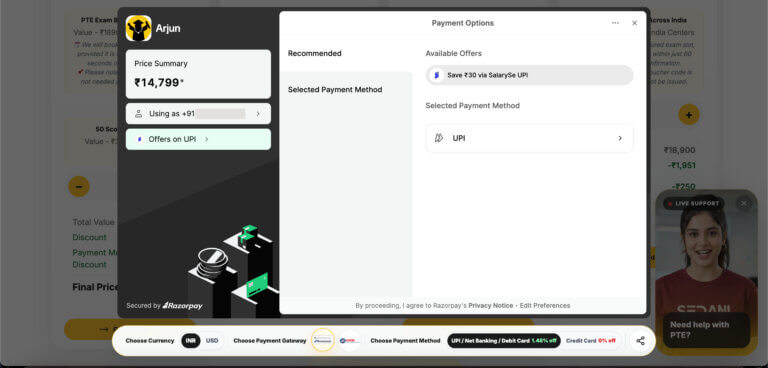
Keep the payment receipt and order reference. If a message is delayed, the order information helps us find your payment quickly.
Do not pay again immediately if the page loads slowly. First check the payment result, WhatsApp and email. A successful payment starts the next part of the process; it does not mean the PTE appointment is already booked.
Step 4: Open the WhatsApp Booking Form
After successful payment, we send a private booking-form link through WhatsApp.
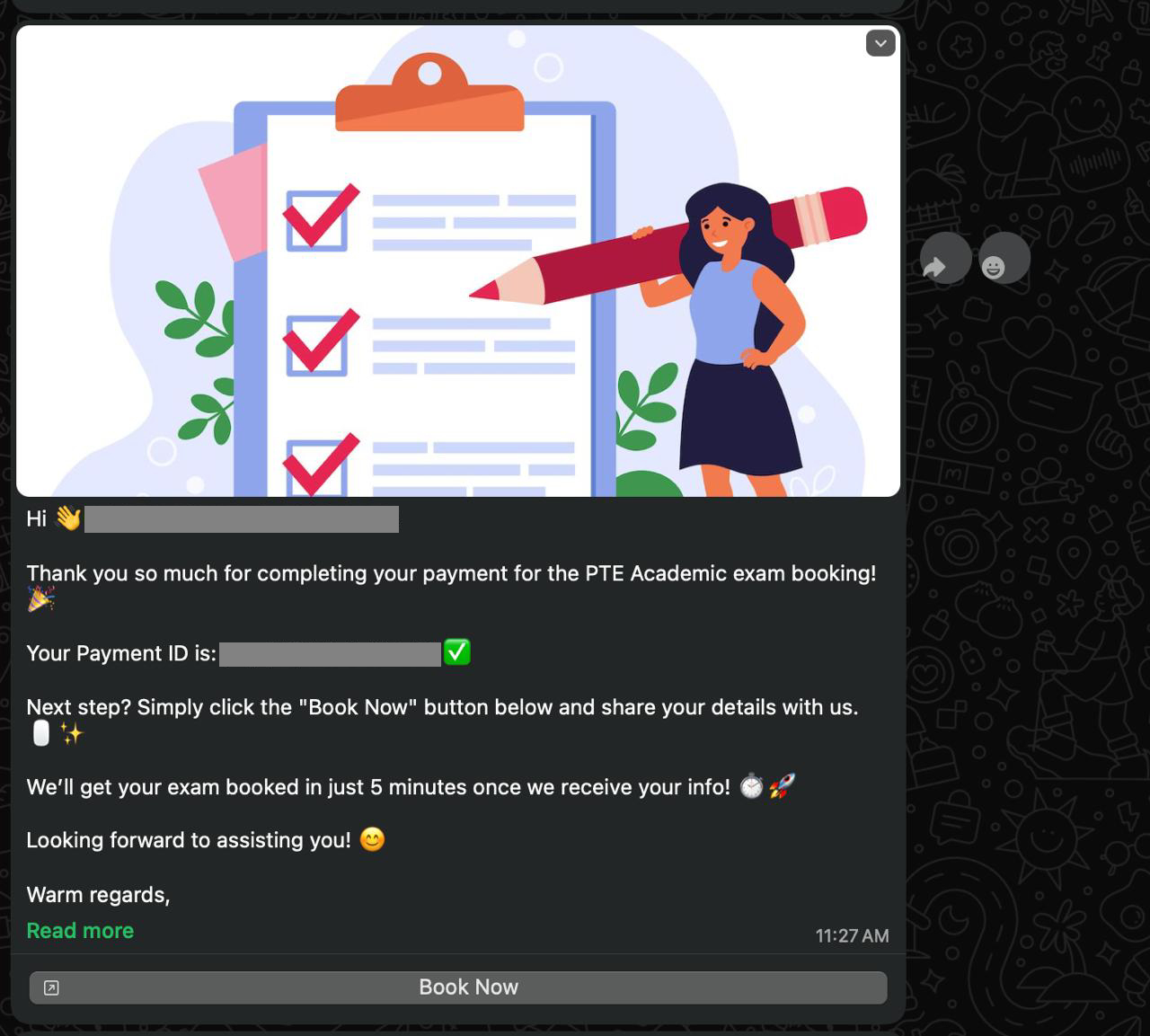
This is different from the contact popup. The popup collects your basic contact details before payment. The private form collects the information needed for the actual appointment.
Keep the link private because it is connected to your order. If your package allows later use, you can keep the link and complete it when your appointment preference is ready. Always check the current package conditions.
Step 5: Enter Your Test, Account and Slot Details
This form tells us what exam you want us to book.
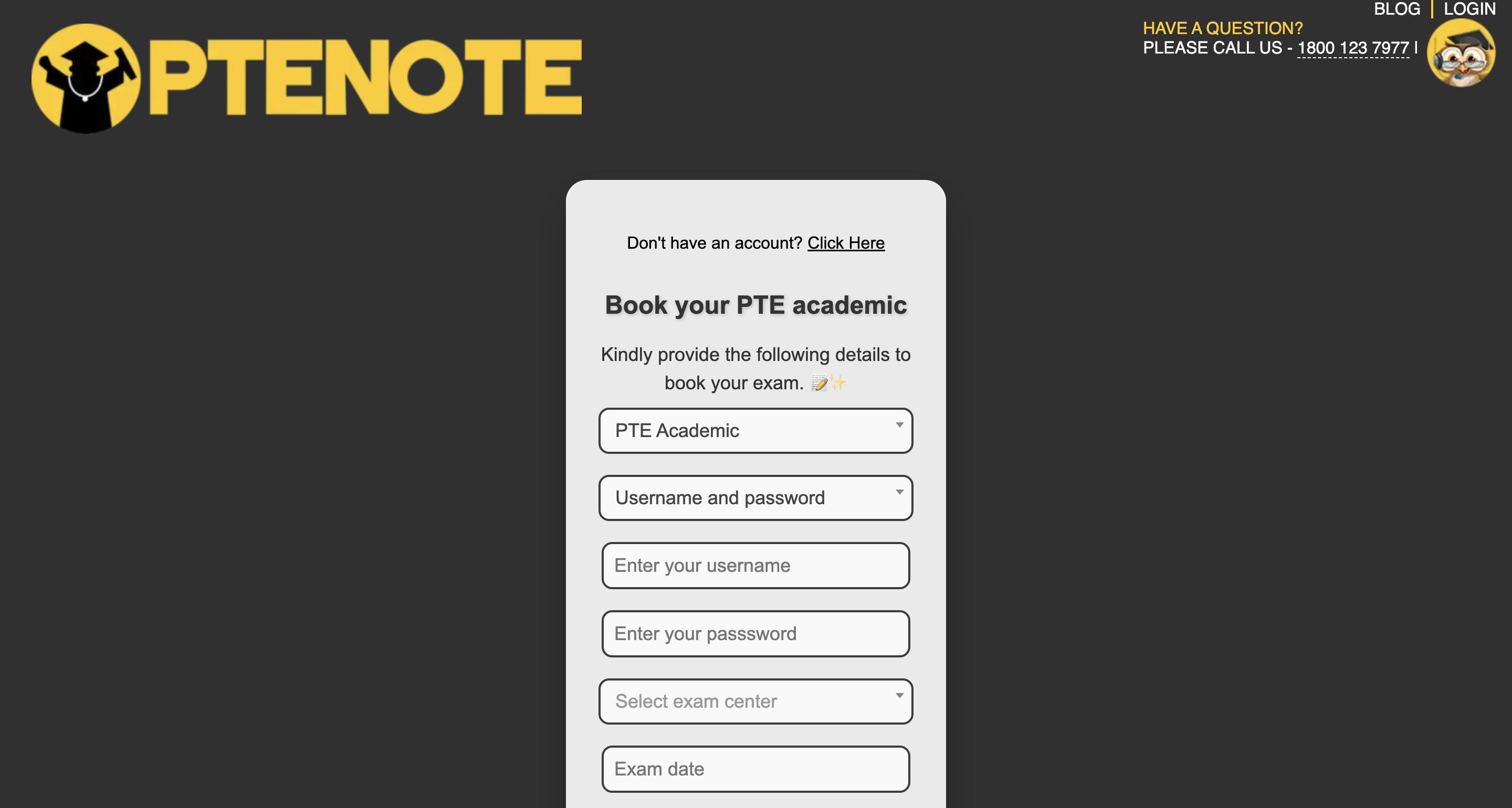
Provide:
- The PTE test type
- One of the two myPTE account options
- Your preferred test centre
- Your preferred date
- Your preferred time
- Your instruction for an unavailable slot
Read the PTE test name carefully. Do not check PTE Academic availability and then accidentally select PTE Core in our form.
The form asks, If slot is not available then? Read the available choices and select what you want our system to do. We explain both choices below.
Step 6: Review the Booking Details We Send Back
After you submit the form, we send the important information back through WhatsApp.
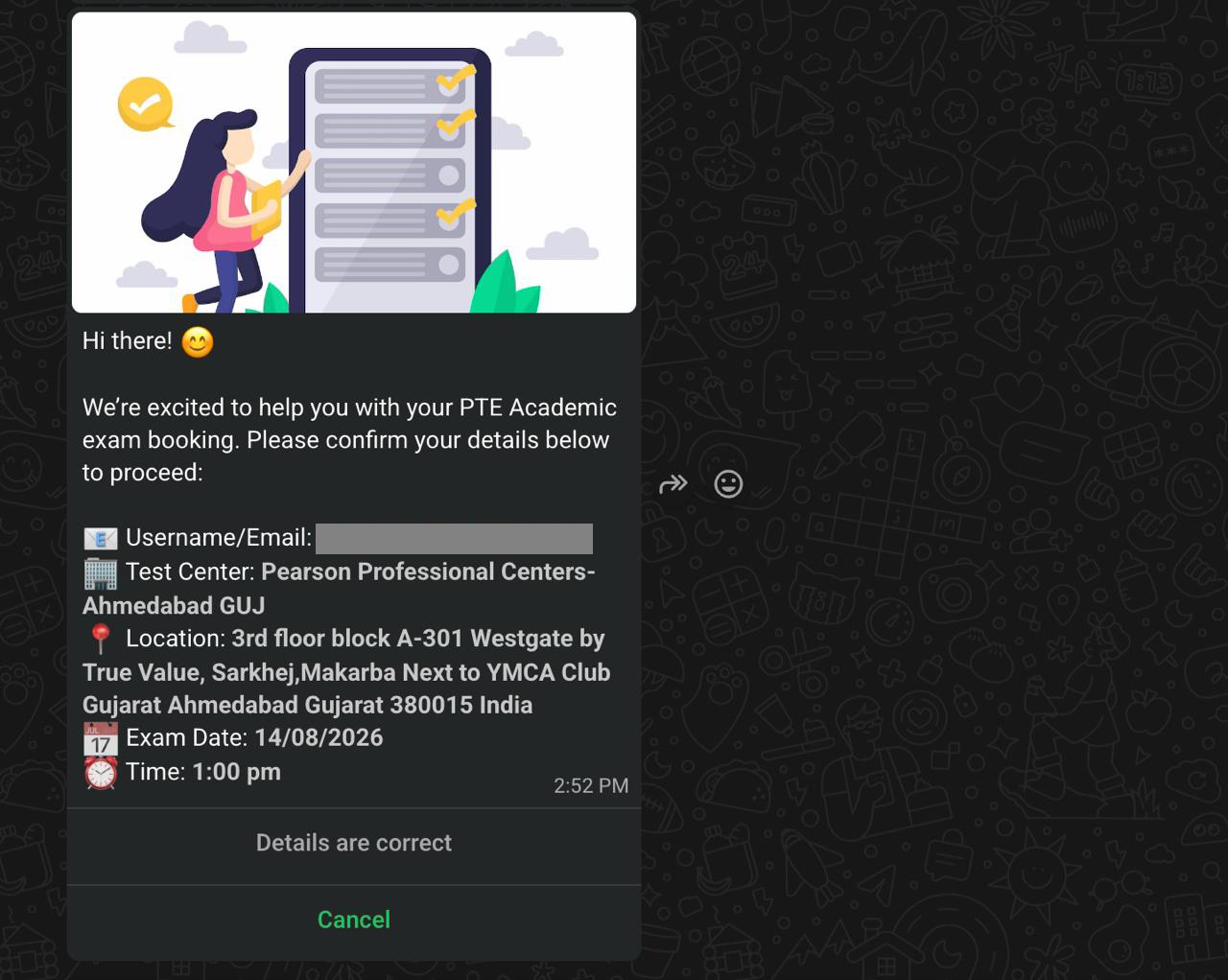
Check:
- Username or email
- Test centre
- Location
- Exam date
- Exam time
This is your verification step. We do not continue simply because you submitted the form. If something is wrong, do not approve the summary until it is corrected.
Step 7: Approve and Check the Appointment in myPTE
Once all five returned details are right, select Details are correct.
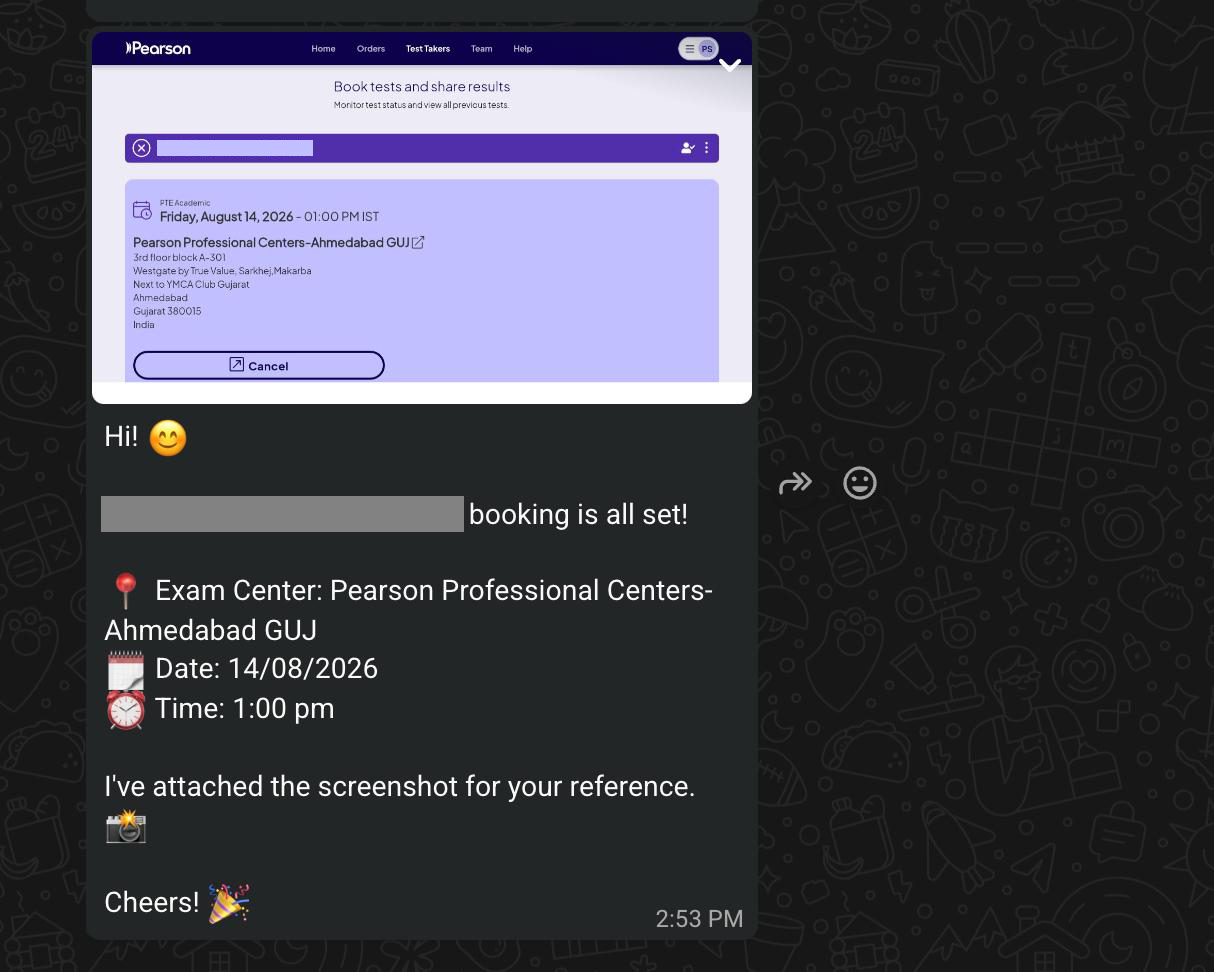
Our automation then carries the approved information through the connected booking stage. You do not need to repeat the centre, date or time on a call.
After completion, check the appointment in your own myPTE account and receive the update through WhatsApp. Save the appointment information and payment records.
What Do You Do, and What Do We Do?
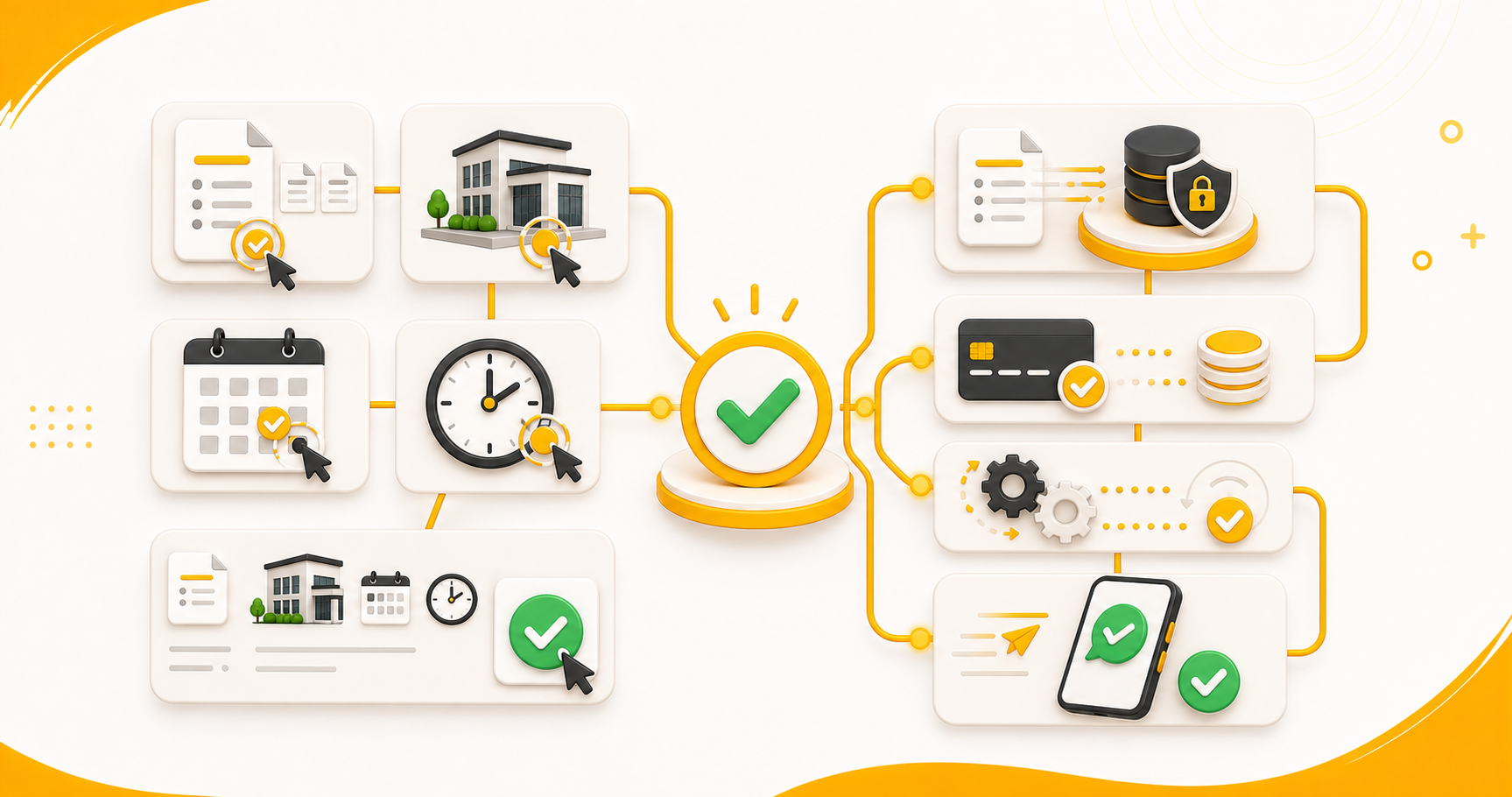
You choose and verify
You choose the correct PTE test, account option, test centre, date and time. You check the returned Username/Email, Test Center, Location, Exam Date and Exam Time. You approve only when all five details are correct.
We connect and process
We connect your selected package, payment and private booking form. We return the appointment information for review, process it after your approval and send the completion update through WhatsApp.
You remain in control of the decisions. We remove the unnecessary manual work around them.
Which myPTE Account Option Should You Choose?
The private form lets you provide one of two account options. You do not need to enter both.
Option 1: myPTE Username and Password
Choose this when you want our automation to accept the connection request sent to your myPTE account. It removes the separate manual acceptance step. The password is stored temporarily for the connected action and then deleted according to our process.
Option 2: PTE ID and Date of Birth
Choose this if you do not want to provide your myPTE password. You must sign in to myPTE yourself and accept the connection invitation. Then return to the same booking-form link and select I have accepted the invitation.
The booking does not start until you accept the invitation and select this button. This adds one manual step and takes more time.
Pearson says an authorised agent should not need direct access to a candidate’s myPTE login details. Read why we provide the login-details option and how to book without sharing your password before deciding.
Is a 60-Second Booking Still Safe?
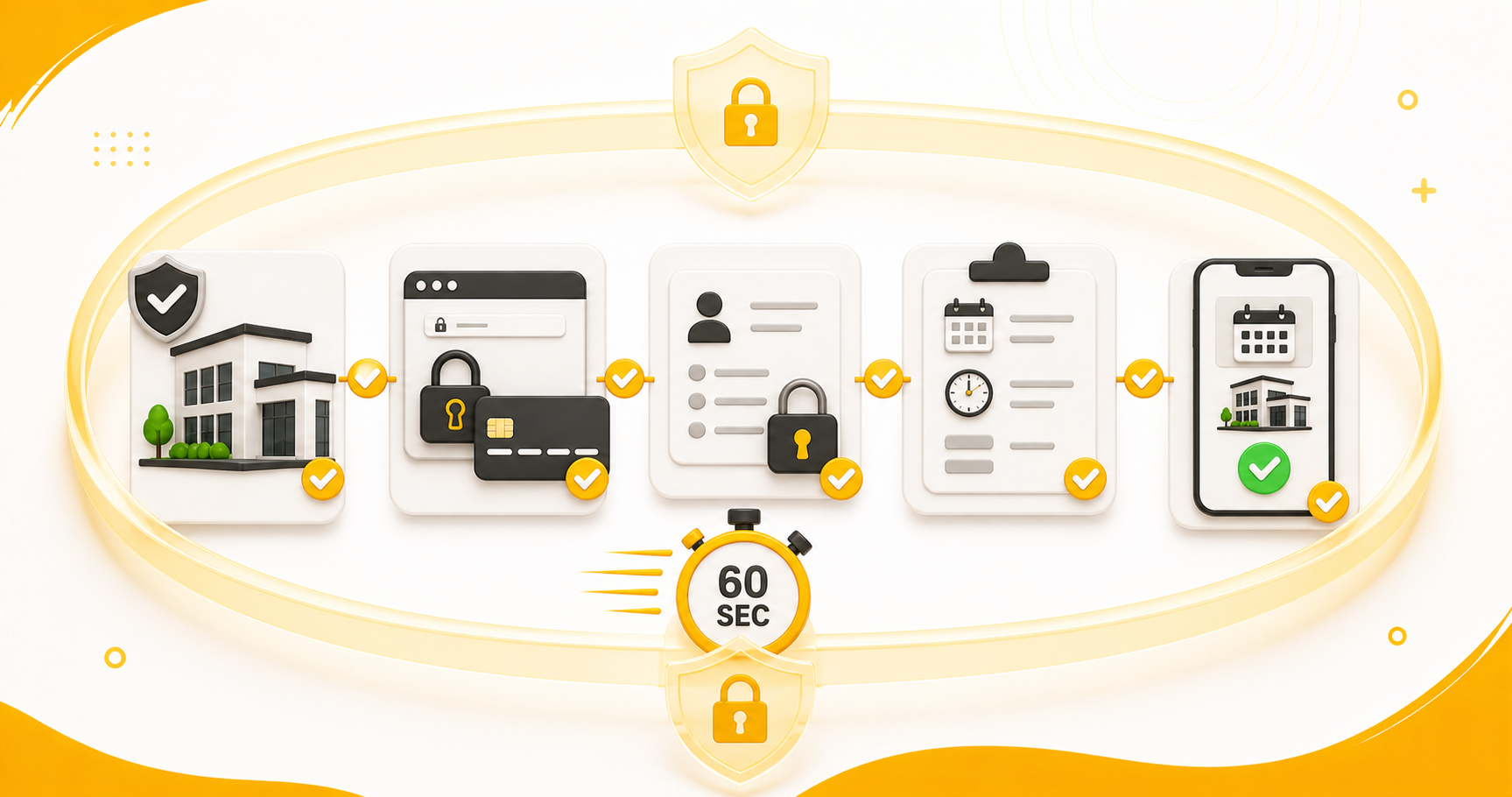
Speed and safety are not opposites. The important checks happen before and after the automated booking:
Pay through our official website. We send the order confirmation and GST invoice, and we complete the booking under the same verified business.
- Keep your payment and order information.
- Use the private booking form sent through your order journey.
- Choose the account option you understand.
- Review the five returned booking details.
- Select Details are correct only after checking them.
- Verify the completed appointment in your own myPTE account.
A fast booking should still give you a result you can verify. A WhatsApp message saying the work is complete is not enough on its own. Check myPTE too.
What Happens If Your Preferred PTE Slot Disappears or Is Unavailable?
PTE availability changes in real time. Another student may book the slot you checked before your appointment reaches confirmation.
Our form asks If slot is not available then? It gives you two instructions.
Option 1: Book Any Slot After 30 Days
Choose Book any slot after 30 days so that I can reschedule it on my own (for free) when you want our automation to continue without asking for another immediate preference.
If your requested slot is unavailable, the system uses an available appointment after 30 days from your selected date. You then manage the applicable rescheduling yourself. Always check Pearson’s current rescheduling conditions before changing an appointment.
Option 2: Ask Me for Another Slot Details
Choose Ask me for another slot details when you want to select a different appointment yourself.
If your first choice is unavailable, we send the booking form again through WhatsApp. Open it, enter the new centre, date or time and submit your revised preference.
What Happens If Payment Succeeds but the Form Does Not Arrive?
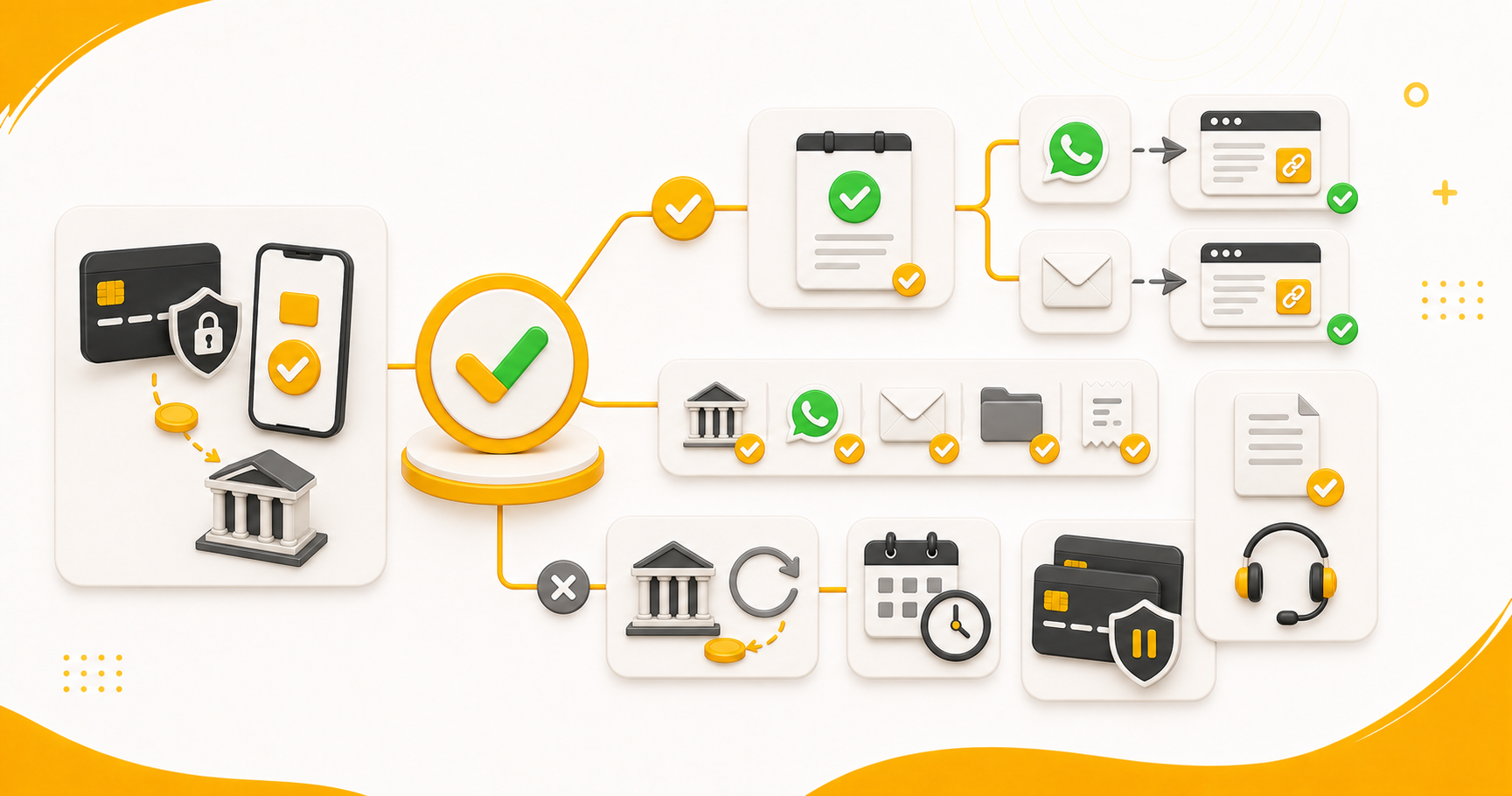
First, do not make another payment immediately.
Check:
- WhatsApp on your registered mobile number
- Your email inbox, spam and promotions folders
- The payment confirmation page
- Your bank or payment-app transaction status
If the payment succeeded but the form is missing, contact us with your registered name, mobile number, email address, order reference and payment reference. This helps us find the transaction without asking you to repeat the entire story.
If money was deducted but the payment did not reach us, the bank handles the applicable reversal to the original account. Let us verify the first transaction before you try again.
Why Is Our Automated Process Faster Than Manual Booking?
Automation does not create a PTE slot or decide your future for you. You still choose the exam, centre, date and time.
What it removes is the waiting and repeated work around those decisions.
Where Does Automation Save the Most Time?
No waiting for a callback
You do not submit your number and wait for someone to call during office hours. Each normal step remains connected to the next one.
No repeating the same preferences
You enter the booking information once. We return it for your approval and use the approved details in the connected process.
No dependence on office hours
Our automated booking process works 24/7. You can complete the required steps late at night, on a Sunday or on a public holiday.
No uncertainty about what you approved
We send the important information back before booking. You see the test centre, location, date and time that the system is about to use.
Fast booking feels good. Fast booking with the correct details feels much better.
What Should You Check After the Booking?
Do not stop checking as soon as you receive the WhatsApp update. Sign in to the candidate’s myPTE account and verify:
- The candidate name
- The PTE test type
- The test-centre name and location
- The exam date
- The exam time
- The appointment status or reference
Save the confirmation and payment records. For a more detailed review, use our PTE booking confirmation checklist.
FAQs
Can you really book my PTE exam in about 60 seconds?
Yes, when your payment, myPTE account option, preferred slot and approval are ready. The 60 seconds refers to the automated booking stage, not the time you spend choosing and entering the information.
Can I begin from the pricing page?
Yes. Choose the suitable exam-booking package. If we do not already have your contact details, complete the popup and continue to payment.
Why did the contact popup not appear?
If you submitted your name, email address and mobile number earlier, selecting a package takes you directly to payment.
Can I book without sharing my myPTE password?
Yes. Choose the PTE ID and date-of-birth option. You must manually accept the connection invitation inside myPTE and confirm it in the booking form.
What if my preferred slot is unavailable?
We follow the unavailable-slot instruction you selected. Depending on your choice, the system uses the 30-day option or sends the form again so you can enter another slot.
How do I know the booking is complete?
Check the appointment in your own myPTE account and keep the booking update sent through WhatsApp.
Do I receive scored mock tests with the booking?
Our exam-booking packages include 50 free scored PTE mock tests. Check the live package for the current price, discount, complete inclusions and mock-test validity before paying.
Can I use the automated process at night or on a holiday?
Yes. The normal automated journey is available 24/7, including late nights, Sundays and public holidays. Completion still depends on correct information, payment, the required account action and live slot availability.
Conclusion
The easiest way to understand our PTE exam booking in 60 seconds is this:
You prepare the decisions. We connect the process.
Choose the correct package, complete the payment and open the private WhatsApp form. Enter the test, account option, centre, date and time you want. When we send the details back, check them properly and select Details are correct only when everything matches.
Our automation then completes the approved booking stage and sends the update through WhatsApp. Check the finished appointment inside myPTE.
No waiting for a callback. No repeating the same preferences to different people. Just one connected booking journey, with the important decisions still in your hands.
When your details are ready, visit our PTE exam booking page or review the current options on the PTENOTE pricing page.