Book PTE Exam
 PTE Voucher
 PTE Mock Tests
 Pricing
 About Us
 Blog
 Practice



Key Takeaway
- Practise on a physical keyboard and keep your work on the screen.
- Use 15 minutes: warm up, copy, write, edit and review.
- Try the original exercises below, then compare your work with the text and editing answer.
- Track repeated mistakes as well as how much you type.
- Add full PTE task practice alongside this short keyboard routine.
Know what you want to write, but keep losing your place on the keyboard? Try a short session that includes checking your work, rather than spending all your time typing more words.
Our PTE typing practice routine takes 15 minutes. You will copy a passage, write your own sentences and fix a short text. Keep your first attempt so you can see exactly what you changed.
The routine is our suggested practice plan. Its short timings are not official PTE task limits, and it does not promise a particular exam score.
Where does typing appear in PTE Academic?

Pearson, the PTE test provider, says the test computer uses a QWERTY keyboard. QWERTY names the keyboard layout. Its top row of letters starts with Q, W, E, R, T and Y. Match this keyboard layout when you practise. Our test-centre guide explains the equipment and the rest of the visit.
These are examples of tasks that involve typed answers:
| PTE Academic task | What you type | Official task time |
|---|---|---|
| Summarize Written Text | Write one sentence of 5–75 words. | 10 minutes |
| Write Essay | Write 200–300 words. | 20 minutes |
| Summarize Spoken Text | Write a 50–70 word summary. | 10 minutes |
| Write from Dictation | Type the short sentence you hear. | Use the time shown for the task. |
| Fill in the Blanks (Type In) | Type the missing words in the gaps. | Use the time shown for the task. |
Use Pearson’s current Speaking & Writing instructions and Listening instructions for the full task rules. The table gives context for typing practice; it is not a complete test guide.
For your daily keyboard session, focus on entering and checking text. For full task practice, also work on understanding the prompt and choosing what to write. Keep both kinds of practice in your study plan.
How do you set up your typing practice?

Prepare your workspace before starting the 15-minute timer:
- Open a blank document on a desktop or laptop.
- Put the exercise text beside the document so you can read both.
- Turn off automatic spelling correction and word suggestions for this session.
- Keep a timer and a small notebook nearby.
- Type a line to check that the keyboard works.
Turning off writing help is a practice choice here. Check the text yourself before using any spelling tool to review it.
Use the keyboard you have, and leave enough room to move your hands. Choose a place where you can finish the short session without switching to messages or other work.
There is no need to start with a full mock test. For this routine, a blank document is enough. When you move to a mock, use our computer and headset setup guide for the wider equipment checks.
What is the 15-minute daily typing routine?
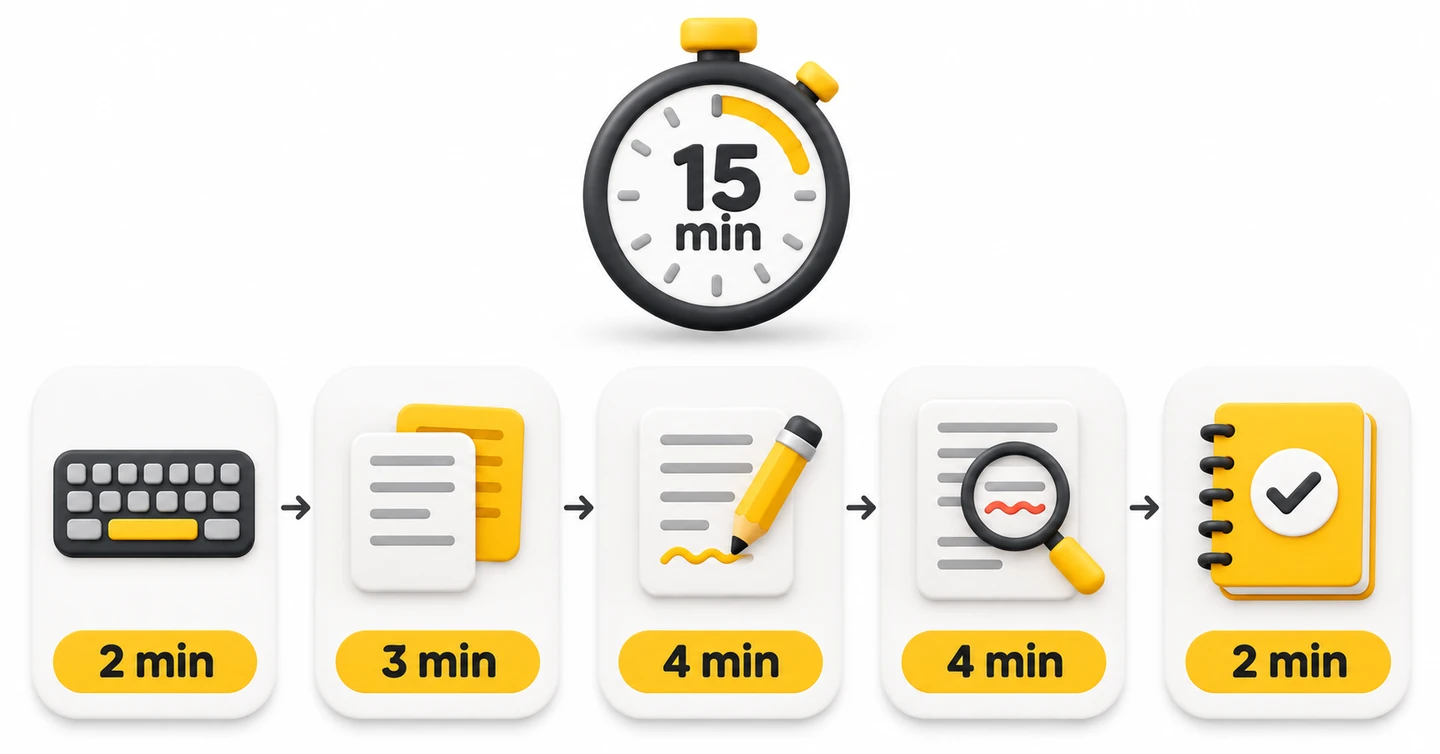
Read the exercises once before you begin. Then work through this schedule. Move to the next stage at the time shown, even when the current attempt is unfinished.
| Time on your timer | Stage | What to do |
|---|---|---|
| 0–2 minutes | Warm up | Type the short sentence and check the keys you use. |
| 2–5 minutes | Copy | Type the practice passage while keeping the source visible. |
| 5–9 minutes | Write | Answer the short prompt in your own words. |
| 9–13 minutes | Edit | Correct the text, check the answer and review your own paragraph. |
| 13–15 minutes | Review | Record one repeated problem and a focus for tomorrow. |
All texts below are original learning exercises. The college details are fictional. These are keyboard drills, not official Pearson questions or complete Listening exercises.
Stage 1: Warm up for two minutes
Type this sentence once:
I will check the words, spaces and full stops before I finish.
Look at what you typed. Check the capital I, the comma and the final full stop. Use the remaining time to type the sentence again, giving extra attention to any key that caused trouble.
Do not paste the sentence into your document. The task is to enter the text yourself.
Stage 2: Copy for three minutes
Keep this passage visible and type it into your document:
The college plans to open a quiet study room next term. Students will be able to book a desk before they arrive. The room will have tables near the windows and a separate area for group work. Staff will review the booking system after the first month.
Copy the words as written. Keep the capital letters, spaces and full stops. When the timer reaches five minutes, stop at your current word.
Finished early? Start this second passage:
A student group has asked for more evening study hours. Its members want a place to read after their classes finish. The college will discuss the request at the next meeting.
Save this first attempt without correcting it yet. You will compare it with the source during the review.
Stage 3: Write for four minutes
Answer this original practice prompt:
Do you prefer to study in the morning or the evening? Write three sentences. State your choice, give a reason and explain how you arrange your study time.
Spend the first part of the stage choosing your ideas. Then type your sentences and check that each one says what you mean. The aim is to practise writing your own text, not only copying.
Here is one possible answer, to read after your attempt:
I prefer to study in the morning. I can work before the house gets busy. I keep a short list of tasks beside my laptop and finish one task before starting the next.
Your answer can be different. Check that it includes your choice, a reason and a detail about your study routine. This three-sentence exercise is not a complete PTE essay.
Stage 4: Edit for four minutes
For the first two minutes, correct the text below. You can paste this faulty version into your document because this stage is about editing.
the college libary opens at nine students can use the study room after class please return the books before friday
Look for a spelling error, missing capital letters and missing full stops. Keep the meaning the same.
Editing answer:
The college library opens at nine. Students can use the study room after class. Please return the books before Friday.
Check the spelling of library. Notice the capital letters at the start of each sentence and in Friday. Each complete sentence ends with a full stop.
Use the next two minutes to check your own three-sentence answer from Stage 3. Read each sentence from start to finish. Look for missing words, repeated words, spelling slips and punctuation.
Stage 5: Review for two minutes
Compare your copied passage with the source. Mark each different or missing word, then correct it. Check spaces and punctuation separately.
Write down one problem you want to work on tomorrow. Use a specific note such as “I missed the final s in students” or “I forgot the capital letter after a full stop.”
Save both your first version and your corrected version. Stop when the timer reaches 15 minutes.
How do you check your work and track progress?
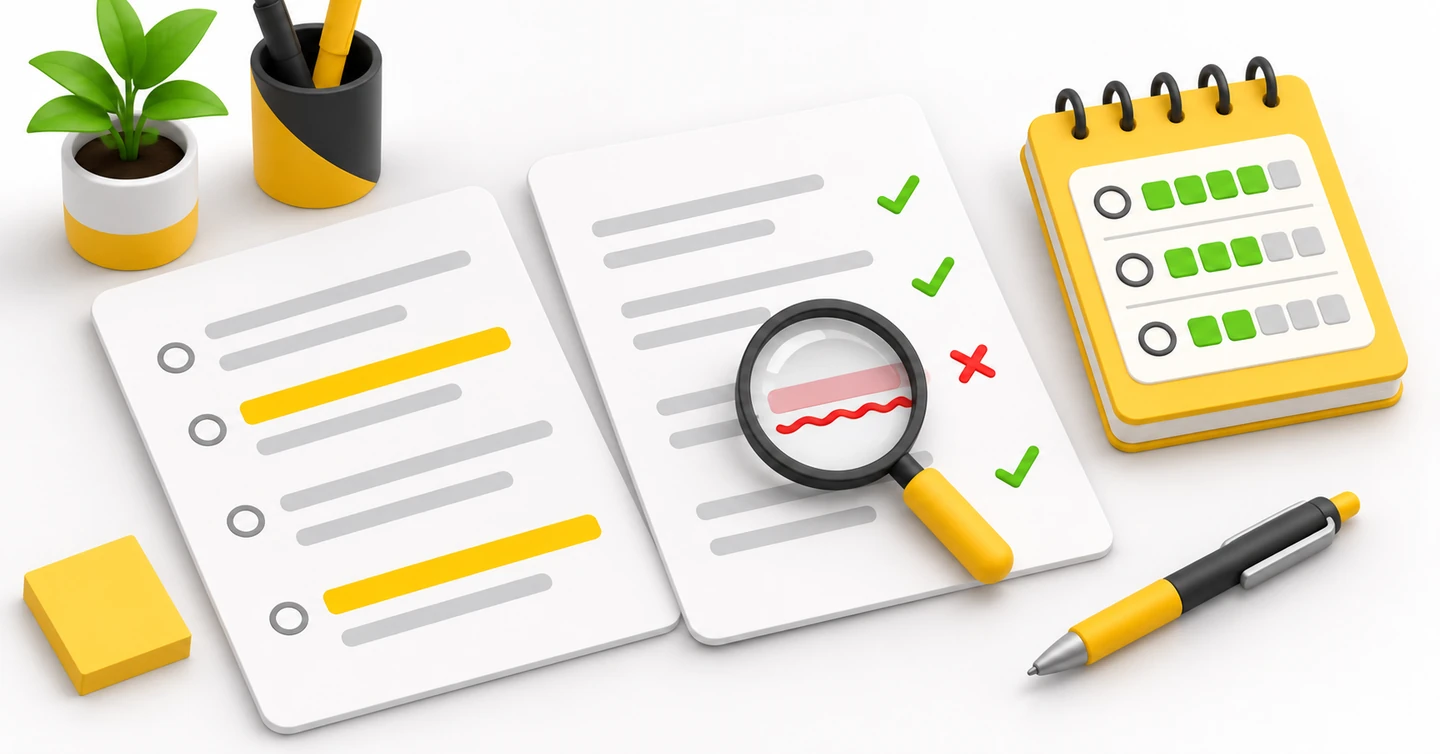
For this routine, keep a simple record of completion and accuracy. You do not need to turn every session into a speed test.
In the copying stage, check against the exact source text. In your own writing, check the prompt and the meaning of each sentence. Use the editing answer to check that particular exercise.
Try this reusable log:
| Date | Copying stage | Main issue | Next session |
|---|---|---|---|
| Your date | Where did you stop? Which words differed? | Name one repeated mistake. | Choose one small practice goal. |
| Next date | Record the new attempt. | Check whether the same issue returned. | Keep or change your focus. |
| Following date | Use fresh text of similar length. | Record what you still need to check. | Set the next goal. |
For example, write “missed capital letters” instead of “bad typing.” Then make checking sentence starts your focus in the next session. Keep the comparison fair by using the same three-minute copying period.
Use fresh passages after you understand the routine. Choose text of a similar length so you can compare sessions. Keep the writing and editing stages too; do not replace the whole session with copying.
After several sessions, try a complete PTE Academic writing task using its official instructions. Check whether you finished the answer and left time to read it back. Use that attempt to decide what your next typing session needs.
For help planning broader practice, read our guide to using PTE mock tests. Keep this short routine as one part of your preparation.
Frequently asked questions
What typing speed should I aim for?
We recommend choosing a target from your own timed work. Check whether you can finish the required response, answer the prompt and read your work back. Record your typing rate separately if you find it useful, but do not use a number alone to judge your preparation.
Can I use my phone for these exercises?
Use a desktop or laptop with a physical keyboard for this routine. Keep the phone for reading the instructions or running the timer.
Should I correct mistakes while I type?
During the copying stage, keep your first version until the final review. During your own writing, edit as you work, then check again in Stage 4. These are practice instructions for this routine.
What if I cannot finish a passage?
Stop when the stage ends and mark where you reached. Keep that record for your next session. Work with a shorter passage first if the full text feels too much.
Is 15 minutes enough for all my PTE preparation?
Use these 15 minutes for keyboard practice. Plan separate time for English skills, the question types and full timed tasks. Treat this routine as a small part of your study plan.
Try your first session
Open a blank document and put the first passage beside it. Follow the timer once, then save the mistake you want to work on tomorrow. Start the next session with that clear goal.