Book PTE Exam
 PTE Voucher
 PTE Mock Tests
 Pricing
 About Us
 Blog
 Practice



Key Takeaway
- Get Pearson's approval for your support before you book.
- For extra time, a break or a separate room, send medical proof that meets Pearson's rules.
- Listed comfort aids need no early request. Staff must still check them.
- Check the notice period for the exact support you need before choosing a date.
“I need support during PTE. Do I book first, or ask Pearson first?”
Pearson runs PTE. Start with the support request. We’ll walk you through the documents, the request form and the booking steps. You’ll also learn which personal aids need only a check at the centre.
An accommodation is a change to the test setup for a need backed by proof. Think of a separate room or access for a wheelchair. Explain your need first, before you choose a date.
Use the current Pearson accommodation policy and the live request form before acting. Use this guide to prepare your request one step at a time.
What PTE test accommodations are available?

Pearson lists separate rooms, wheelchair access, extra equipment, adjustable desks and chairs, and screen-brightness changes as test support.
Pearson lists 25% extra time as test support. The form lists 25% extra time only in some locations.
Pearson lists a 10-minute support break, except for PTE Home.
Choose support by the problem you need to solve. For example, describe the access you need to reach and use the desk. For a separate room, explain why the shared setting affects your ability to take the test. These examples show how to describe your needs.
Test centres do not all offer the same access support. Keep travel plans open until Pearson confirms the support. Ask about the exact centre and support together. Do not assume the nearest centre has every option.
For the normal room setup, our guide to the PTE test centre explains the wider visit.
What documents do you need for the request?

For extra time, a break or a separate room, send medical proof that meets Pearson’s rules. Use this checklist to gather your papers. Medical evidence is the proof you send with your request.
- Send a letter or certificate from a licensed medical practitioner. This means a medical professional who is allowed to practise.
- The letter needs the writer’s name, job title, qualifications and practice details.
- The letter must have the practice’s official heading, a date and a signature.
- Pearson asks for a medical letter written when you were 12 or older.
- The letter must explain the major, long-term effect of your disability. It must show why you need the support.
- For a learning difficulty, give full details in the letter. Include the official assessments too.
- Include reports of tests used to identify your condition.
- The medical letter must be in English. For a letter that needs translation, use a professional translator. Include proof of the translator’s qualification.
Read the letter from top to bottom. Check who wrote it, where they work and when they signed. Ask the writer to explain any part you do not understand.
Explain how your condition affects taking the test and why you need each type of support. Describe the problem and the support you need. Avoid copying another candidate’s explanation. Describe your own needs.
Upload your proof together in one file, as the form asks. Open the file and check each page before sending it. Check that names, dates, signatures and test reports are clear. We suggest keeping the file you send and the reply you receive.
Use your own records. If a medical detail is missing, ask the person who wrote the letter. Ask Pearson about unclear document needs.
How do you request support and book the test?

myPTE is the account you use to book your test. Follow this order. Ask for the support before you choose a final slot.
- Declare your needs. Tell Pearson about your support needs when you create your account. After you fill in your profile, Pearson asks you to send a request form with medical proof. Use your myPTE account for this step.
- Fill in your details. On the form, enter your name, registration email, birth date and PTE ID. Your PTE ID is used to identify your PTE account. Use the email linked to your account. Check the spelling.
- Describe the support. The form asks for your test country, the support you need and your top three centres. Be clear about each support need. A centre you choose is not a confirmed booking.
- Add your supporting file and submit. Check your details and the statements you must agree to on the live Pearson accommodation request form. Save the reply for your records.
- Wait for Pearson, then follow the booking instructions. Get Pearson’s approval for your support before you book. After reviewing your form, Pearson’s support team will contact you to book.
When Pearson replies, check the agreed support and test centre. Ask about anything unclear before you book. Keep the approval with your test records.
For a new attempt, start the support check again: Send a new support request form each time you book a new test.
Our general PTE booking guide explains ordinary booking steps. Follow Pearson’s support instructions first. Wait for approval before you book.
How early should you apply, and what if you have booked?
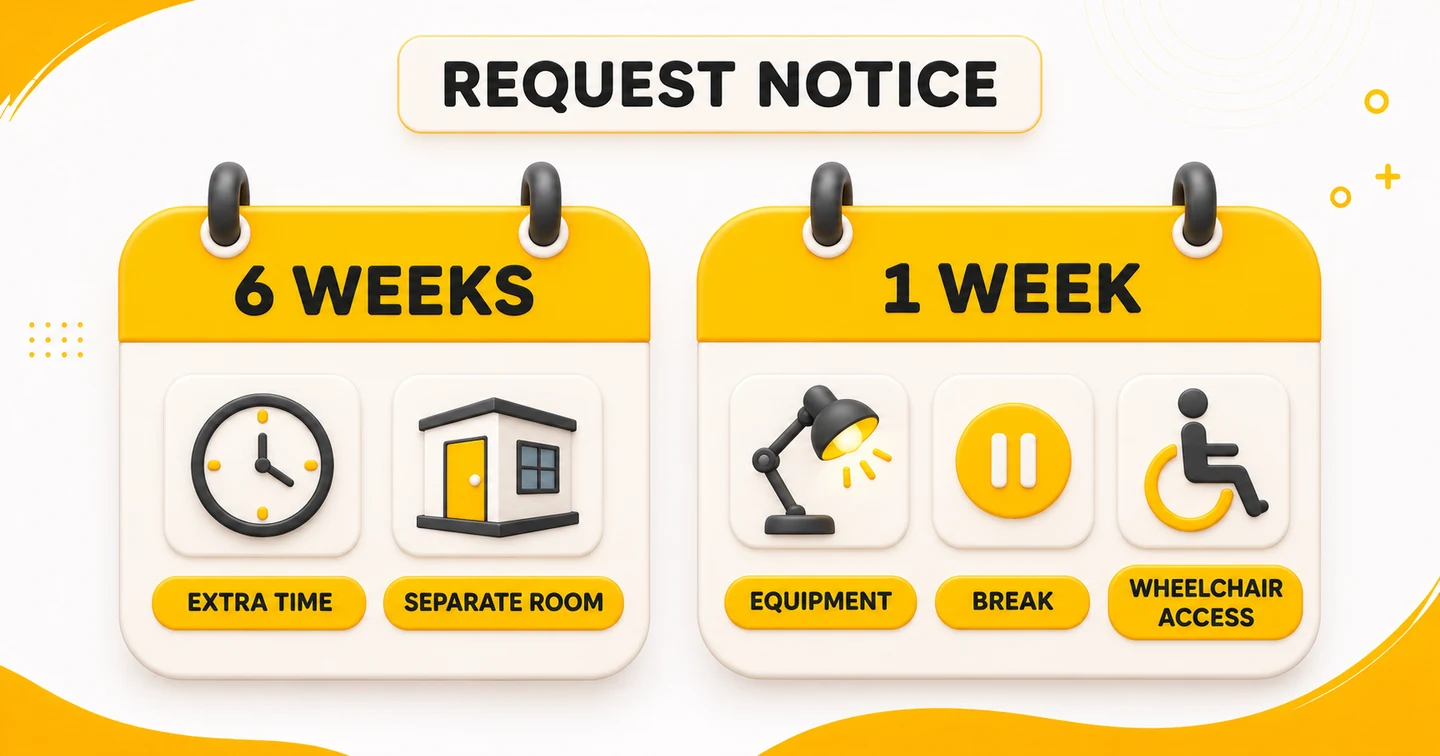
Pearson’s general policy says to send your support request at least six weeks before your chosen test date. The live form gives these notice periods:
- For extra time or a separate room, apply at least six weeks before your chosen test date.
- For equipment in the room, a break or wheelchair access, apply at least one week before your chosen test date.
Notice means the time from your request to your chosen test date. It is not an approval deadline. We suggest starting early. Allow time to get a medical letter or a translation.
If Pearson needs more documents, the review can take more than six weeks. Keep travel plans open while the review is in progress.
Already have an appointment? If you have booked and now need support, Pearson says to call Customer Support. Use the PTE Help Center to find the current local phone number. Keep your booking details and a short note about the support ready for the call. Ask what support fits that booking before you change it.
Try this planning question: “Does the notice period for my request fit my preferred date?” If the answer is unclear, ask Pearson before paying for a new appointment. Check the support approval as well as the test booking.
Which comfort aids do not need an advance request?
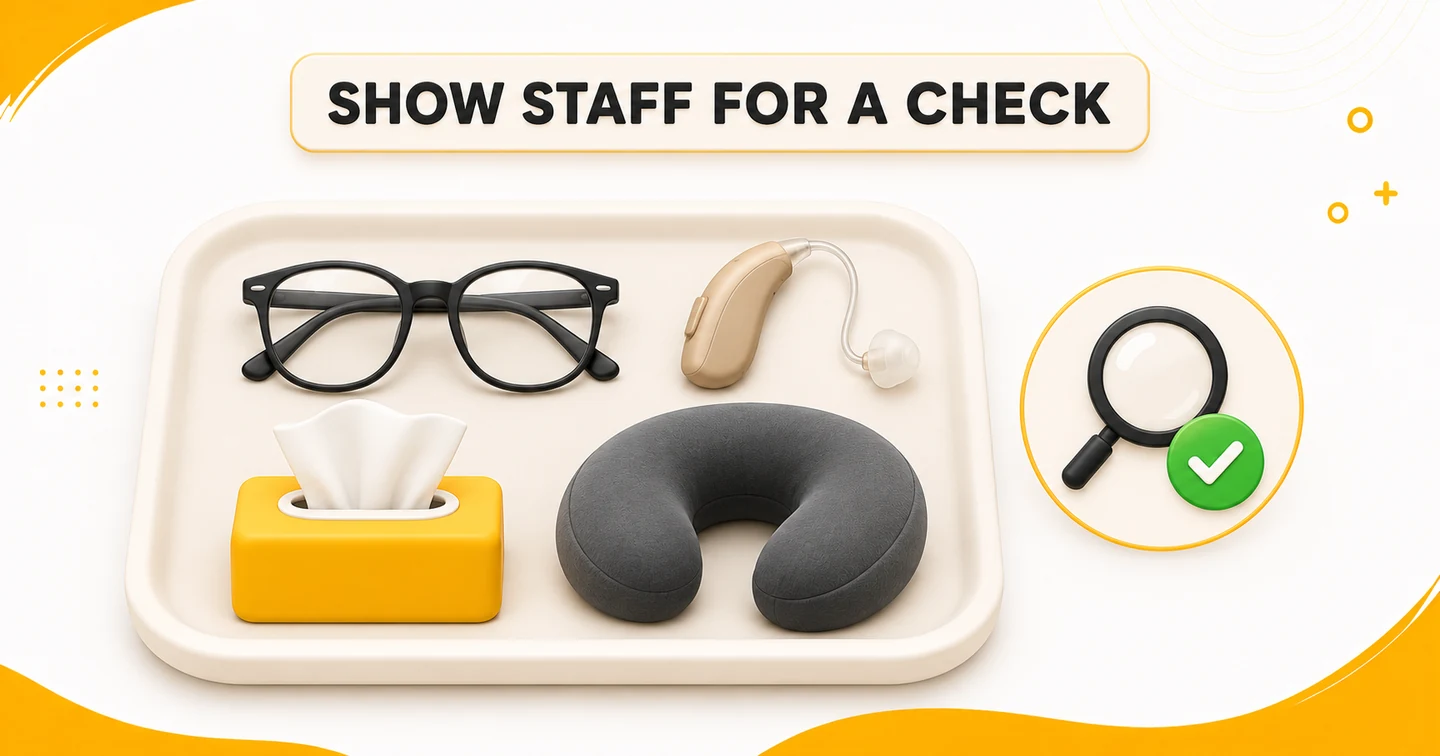
A comfort aid is a personal item allowed in the room after a staff check. It is not a change to the test setup.
Listed comfort aids need no early request. Staff must still check them.
Pearson lists glasses, hearing aids, tissues, unwrapped cough drops and support pillows as comfort aids. You must bring your own comfort aids.
Show the item to the Test Administrator, the staff member in charge, for a check. Is your item missing from the live list? Ask Pearson before test day. Do not assume it is allowed.
Ask yourself two questions: “What aid will I bring?” and “What change do I need Pearson to arrange?” Write down both needs if both apply to you.
Contact Pearson before booking if a hand injury prevents the palm vein scan.
Frequently asked questions
Can I book first and request extra time later?
Get Pearson’s approval for your support before you book. If you have booked and now need support, Pearson says to call Customer Support.
Do glasses and tissues need an accommodation application?
Listed comfort aids need no early request. Staff must still check them. Pearson lists glasses, hearing aids, tissues, unwrapped cough drops and support pillows as comfort aids.
Can I choose any centre for extra time?
The form lists 25% extra time only in some locations. Test centres do not all offer the same access support.
Do I send a separate request for a new attempt?
Send a new support request form each time you book a new test.
What if I selected Special Test Arrangements by mistake?
If you chose Special Test Arrangements by mistake or no longer need them, untick the box in myPTE. Pearson puts it under Personal Information. If you cannot change it, contact Pearson Customer Support through the booking help page.
What should you do next?
Start with a short list of the support you need. Then compare your documents with the checklist above. Submit a clear request through Pearson and keep the reply with your records. If you already have a booking, begin with the Customer Support call instead.