
Key Takeaway
- PTE exam dates are available throughout the year in India, but every city and test centre has its own live calendar.
- A date shown in a monthly table is only a planning reference. Always check the official Pearson calendar before you pay.
- Select the exact PTE test you need because PTE Academic, PTE Academic UKVI and PTE Core can show different availability.
- A complete PTE slot includes the test centre, exam date and appointment time.
- Seeing an available date does not reserve the seat. Your appointment is secured only after the booking is completed and confirmed.
- Many locations offer frequent test dates, and Pearson says booking may be possible as little as 24 hours in advance when a suitable slot is available.
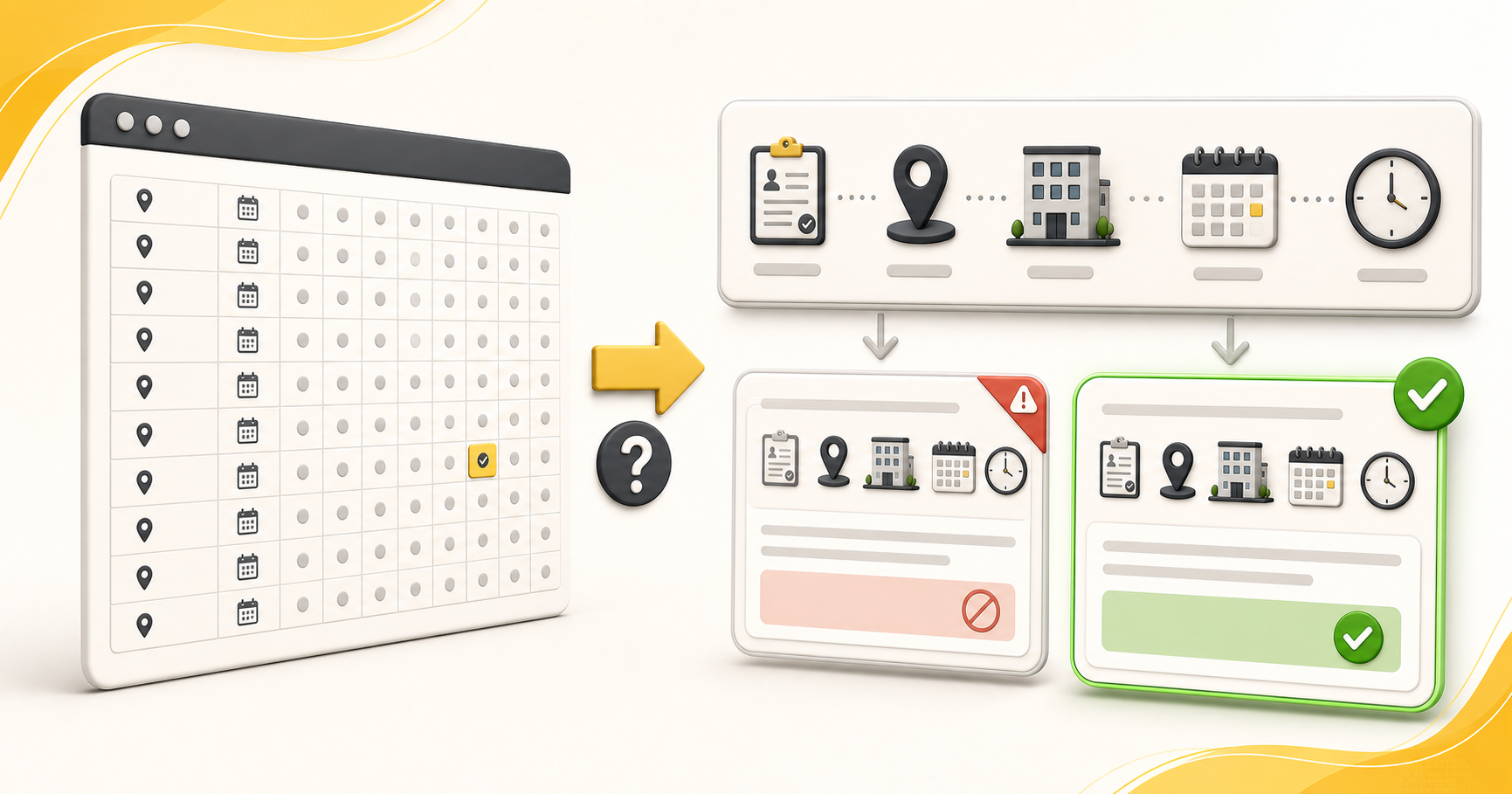
You search for a PTE exam date because you want a simple answer: when can you take the test?
The short answer is that PTE test dates are offered frequently throughout the year. The exact answer is more personal. Your available dates depend on the test you choose, the city you search, the test centre you open and the seats available at that moment.
That is why this guide gives you both things you need. First, you will see a city-wise monthly snapshot for planning. Then you will learn how to check the live Pearson calendar before making a booking decision.
The snapshot helps you understand the pattern. The live calendar gives you the answer you can act on.
Are PTE Exam Dates Available Throughout the Year?

Yes. PTE offers frequent test dates in India throughout the year. Many locations run regular sessions, and some popular centres may offer appointments on several days in one week.
This does not mean every test is available every day at every centre. A centre may be closed on a particular day, a session may already be full, or the test you need may not be offered there.
Pearson’s official website says PTE has frequent test dates and that booking can sometimes be completed as little as 24 hours before the test. That option still depends on live availability. It is not a promise that your preferred centre and time will remain open.
Does PTE Have a Fixed Exam Calendar in India?
No. There is no single India-wide PTE exam calendar that guarantees the same dates for every student.
Think of PTE as a live appointment system. You choose the test and location, and the calendar shows what is currently available for that choice.
Two students can search on the same day and see different results. One may search for PTE Academic in Ahmedabad. Another may search for PTE Core in Delhi. Even two PTE Academic centres in the same city can show different dates and times.
Why do websites publish month-wise PTE test dates?
A monthly table is useful for early planning. It can show which dates were visible when the page was checked and whether a city usually has frequent or limited availability.
It cannot hold a seat for you. Another student may book the slot, a centre may change its schedule, or a cancelled appointment may make a new date appear.
PTE Exam Dates 2026 in India: City-Wise Monthly Snapshot
Snapshot reviewed on 14 September 2026: The separate city tables below show remaining September dates and reported dates for October, November and December 2026 at centres found in the current listings reviewed. They are planning references, not guaranteed appointments.
Important: A city may have more centres and different dates. Do not travel, pay or make an application decision using these tables alone. Confirm the exact test, centre, date and time on Pearson’s live calendar first.
We included every centre we could identify in the current city-wise sources reviewed. Some cities have several listed centres, while other sources showed only one. Pearson can add, remove or update a centre, so use the live search to see the complete list available for your test today.
Choose a city
New Delhi · Noida · Gurugram · Ahmedabad · Mumbai · Pune · Bengaluru · Hyderabad · Kolkata · Chandigarh · Amritsar · Mohali · Jalandhar · Patiala · Dehradun · Vijayawada · Visakhapatnam · Chennai · Coimbatore · Thiruvananthapuram · Ernakulam
PTE Exam Dates in New Delhi 2026
We found the following New Delhi centres in the current published listings reviewed. Their dates can differ, so compare the exact address as well as the month.
| PTE centre in New Delhi | September 2026 | October 2026 | November 2026 | December 2026 |
|---|---|---|---|---|
| Pearson Professional Centres 302/305 Ashoka Estate, 24 Barakhamba Road, Fire Brigade Lane, New Delhi 110001 |
18, 22, 23, 25, 26 | 1, 3, 9, 16, 17, 22, 23, 27, 28, 30 | 6, 13, 20, 27 | 4, 11, 18, 24 |
| Global Opportunities Pvt. Ltd. HS 27, Second Floor, Kailash Colony Market, New Delhi 110048 |
15–30 | 1, 3–19, 21–28, 30, 31 | 1–6, 9, 10, 12–30 | 1–24, 26–31 |
Check all live PTE exam dates and centres in New Delhi.
PTE Exam Dates in Noida 2026
The current published listings reviewed showed the following centre in Noida. Pearson may show additional or changed centres in its live search.
| PTE centre in Noida | September 2026 | October 2026 | November 2026 | December 2026 |
|---|---|---|---|---|
| Pearson Professional Centres Ground Floor, 1A/1 S.B. Towers, Sector 16A, Noida, Uttar Pradesh 201301 |
18, 19, 21, 22, 25, 28 | 1, 5, 9, 16, 17, 22–24, 27, 30 | 6, 13, 20, 27 | 4, 11, 18, 24 |
Check live PTE exam dates in Noida.
PTE Exam Dates in Gurugram 2026
The current published listings reviewed showed the following centre in Gurugram. Pearson may show additional or changed centres in its live search.
| PTE centre in Gurugram | September 2026 | October 2026 | November 2026 | December 2026 |
|---|---|---|---|---|
| Pearson Professional Centres Second Floor, Unit 214, Times Tower, MG Road, Gurugram, Haryana 122002 |
18, 22, 23, 25, 29 | 1, 9, 10, 16, 17, 22, 23, 26, 28, 30 | 6, 13, 20, 27 | 4, 11, 18, 24 |
Check live PTE exam dates in Gurugram.
PTE Exam Dates in Ahmedabad 2026
The listings reviewed showed four Ahmedabad centres. The calendar can be very different at a private centre and a Pearson Professional Centre.
| PTE centre in Ahmedabad | September 2026 | October 2026 | November 2026 | December 2026 |
|---|---|---|---|---|
| Swarnim Startup and Innovation University 140/1 Swarnim Institute, near Viratnagar BRTS Bus Station, Ahmedabad 380024 |
16–20, 23–27, 30 | 1–4, 7–11, 14–18, 21–25, 28, 30, 31 | 1, 4, 18–22, 25–29 | 2–6, 9–13, 16–20, 23, 24, 26, 27, 30, 31 |
| Take Off Academy 404 Elanza Vertex, Sindhu Bhavan Road, Bodakdev, Ahmedabad 380054 |
15–19, 21–26, 28–30 | 1, 3–19, 21–28, 30, 31 | 2–7, 14, 16, 17, 19–21, 23, 24, 26–28, 30 | 1–5, 7–12, 14–19, 21–24, 26, 28–31 |
| Pearson Professional Centres Block A-301, third floor, Westgate, Makarba, Ahmedabad 380015 |
18, 25 | 1, 9, 16, 23, 30 | 6, 13, 20, 27 | 4, 11, 18, 24 |
| Ganpat University City Office Office 105–106, Ganesh Meridian, Sola, SG Highway, Ahmedabad 380060 |
15–19, 21–26, 28–30 | 1–3, 5–17, 19–24, 26–28, 30, 31 | 2–7, 9–14, 16–21, 23, 24, 26–28, 30 | 1–5, 7–12, 14–19, 21–24, 26, 28–31 |
Check all live PTE exam dates and centres in Ahmedabad.
PTE Exam Dates in Mumbai 2026
The current published listings reviewed showed the following centre in Mumbai. Pearson may show additional or changed centres in its live search.
| PTE centre in Mumbai | September 2026 | October 2026 | November 2026 | December 2026 |
|---|---|---|---|---|
| Pearson Professional Centres Building 9, first floor, Solitaire Corporate Park, 167 Andheri–J B Nagar Link Road, Chakala, Andheri East, Mumbai, Maharashtra 400093 |
No date displayed when this centre was checked | No date displayed when this centre was checked | 2, 6, 7, 13, 14, 16, 20, 26–28, 30 | 4, 11, 18, 24 in a current published centre listing; verify live |
Check live PTE exam dates in Mumbai.
PTE Exam Dates in Pune 2026
The current published listings reviewed showed the following centre in Pune. Pearson may show additional or changed centres in its live search.
| PTE centre in Pune | September 2026 | October 2026 | November 2026 | December 2026 |
|---|---|---|---|---|
| Pearson Professional Centres 517, fifth floor, Tower 2, World Trade Centre, Kharadi, Pune, Maharashtra 411014 |
18, 22, 23, 26, 28, 30 | 1, 9, 16, 17, 22, 23, 26, 28, 30 | 6, 13, 20, 27 | 4, 11, 18, 24 |
Check live PTE exam dates in Pune.
PTE Exam Dates in Bengaluru 2026
We found three Bengaluru centres in the listings reviewed. A current September-to-December snapshot was available for two of them.
| PTE centre in Bengaluru | September 2026 | October 2026 | November 2026 | December 2026 |
|---|---|---|---|---|
| Pearson Professional Centres — Pride Hulkul 004B Ground Floor, 116 Lalbagh Road, Bengaluru 560027 |
18, 25 | 1, 9, 16, 23, 30 | 6, 13, 20, 27 | 4, 11, 18, 24 |
| Pearson Professional Centres — Prestige Atrium Unit 101 Ground Floor, Central Street, Shivajinagar, Bengaluru 560001 |
18, 25 | 1, 9, 16, 23, 30 | 6, 13, 20, 27 | 4, 11, 18, 24 |
| TCGLOBAL A Wing, Ground Floor, Mittal Towers, MG Road, Bengaluru 560001 |
No dependable September-to-December snapshot found. Check Pearson’s live calendar. | |||
Check all live PTE exam dates and centres in Bengaluru.
PTE Exam Dates in Hyderabad 2026
The current published listings reviewed showed the following centre in Hyderabad. Pearson may show additional or changed centres in its live search.
| PTE centre in Hyderabad | September 2026 | October 2026 | November 2026 | December 2026 |
|---|---|---|---|---|
| Pearson Professional Centres Vamsiram Jyothi Valencia, fourth floor, Road 2, Banjara Hills, Hyderabad, Telangana 500034 |
18, 19, 21, 23, 25, 26, 28, 30 | 1, 5–7, 9, 12, 15–17, 19, 22–24, 26–28, 30, 31 | 6, 13, 20, 27 | 4, 11, 18, 24 |
Check live PTE exam dates in Hyderabad.
PTE Exam Dates in Kolkata 2026
The current published listings reviewed showed the following centre in Kolkata. Pearson may show additional or changed centres in its live search.
| PTE centre in Kolkata | September 2026 | October 2026 | November 2026 | December 2026 |
|---|---|---|---|---|
| DLF Galleria test centre 1206, 12th Floor, DLF Galleria, Block BG 8, Action Area 1B, New Town, Kolkata, West Bengal 700156 |
17, 18, 21, 22, 24, 28 | 1, 5, 8, 9, 12, 15, 16, 26, 29, 30 | 2, 5, 6, 9, 12, 16, 19, 23, 26 | Check the live Pearson calendar |
Check live PTE exam dates in Kolkata.
PTE Exam Dates in Chandigarh 2026
The current listings reviewed showed three Chandigarh centres. One listing did not report future dates, which does not prove that Pearson’s live calendar will remain empty.
| PTE centre in Chandigarh | September 2026 | October 2026 | November 2026 | December 2026 |
|---|---|---|---|---|
| Pearson Professional Centres A-401, fourth floor, Elante Offices Block, Industrial Area Phase 1, Chandigarh 160002 |
18, 25 | 1, 9, 16, 23, 30 | 6, 13, 20, 27 | 4, 11, 18, 24 |
| Kangaroo Studies Pvt. Ltd. SCO 447–448, Second Floor, Sector 35C, Chandigarh 160035 |
No dates reported in the current listing reviewed. Check Pearson’s live calendar. | |||
| Target Consultancy SCO 137–138, Second Floor, Sector 8C, Chandigarh 160009 |
15–19, 21–26, 28–30 | 1, 3, 5–17, 19, 21–24, 26–31 | 1–6, 10–14, 16–21, 23–28, 30 | 1–5, 7–12, 14–19, 21–24, 26, 28–30 |
Check all live PTE exam dates and centres in Chandigarh.
PTE Exam Dates in Amritsar 2026
We found two Pearson Professional Centres in the current Amritsar listings reviewed.
| PTE centre in Amritsar | September 2026 | October 2026 | November 2026 | December 2026 |
|---|---|---|---|---|
| Pearson Professional Centres — Mukut House Units 303 and 304, third floor, Mukut House, Mall Road, Amritsar 143001 |
18, 25 | 1, 9, 16, 23, 30 | 6, 13, 20, 27 | 4, 11, 18, 24 |
| Pearson Professional Centres — SRK Mall No. 2 Upper Ground Floor, SRK Mall, Passport Office Building, 14 Mall Road, Amritsar 143001 |
18, 25 | 1, 9, 16, 23, 30 | 6, 13, 20, 27 | 4, 11, 18, 24 |
Check all live PTE exam dates and centres in Amritsar.
PTE Exam Dates in Mohali 2026
The current published listings reviewed showed the following centre in Mohali. Pearson may show additional or changed centres in its live search.
| PTE centre in Mohali | September 2026 | October 2026 | November 2026 | December 2026 |
|---|---|---|---|---|
| Tech Tower test centre Site 252, CP 67, Gate 3, Tech Tower, Tech Zone 4, eighth floor, Blue Area, Sector 67, Mohali, Punjab 160062 |
15, 18, 21–25, 28–30 | 1, 5, 6, 8, 9, 12, 16, 19, 22, 23, 26–30 | 6, 13, 20, 27 | Check the live Pearson calendar |
Check live PTE exam dates in Mohali.
PTE Exam Dates in Jalandhar 2026
We found three Jalandhar centres in the current published listings reviewed. The reported availability differs greatly between the Pearson Professional Centres and Touchstone.
| PTE centre in Jalandhar | September 2026 | October 2026 | November 2026 | December 2026 |
|---|---|---|---|---|
| Pearson Professional Centres — Eminent Mall Third Floor, Unit 8, Eminent Mall Complex, Guru Nanak Mission Chowk, Jalandhar 144001 |
18, 25 | 1, 9, 16, 23, 30 | 6, 13, 20, 27 | 4, 11, 18, 24 |
| Pearson Professional Centres — VCN Building First Floor, VCN Building, Cool Road, near State Bank of India, Jalandhar 144001 |
18, 25 | 1, 9, 16, 23, 30 | 6, 13, 20, 27 | 4, 11, 18, 24 |
| Touchstone Educationals LLP 739 Mota Singh Nagar, Main Garha Road, Jalandhar 144001 |
15–30 | 1, 3–31 | 1–7, 10–30 | 1–31 |
Check all live PTE exam dates and centres in Jalandhar.
PTE Exam Dates in Patiala 2026
The current published listings reviewed showed the following centre in Patiala. Pearson may show additional or changed centres in its live search.
| PTE centre in Patiala | September 2026 | October 2026 | November 2026 | December 2026 |
|---|---|---|---|---|
| Modi College Near Sunami Gate, Lower Mall, Patiala, Punjab 147001 |
15, 17–19, 21, 22, 24–26, 28, 29 | 1, 5, 6, 8, 9, 12, 13, 15–17, 22–24, 27, 30, 31 | 2, 3, 5, 6, 12–14 | Check the live Pearson calendar |
Check live PTE exam dates in Patiala.
PTE Exam Dates in Dehradun 2026
The current published listings reviewed showed the following centre in Dehradun. Pearson may show additional or changed centres in its live search.
| PTE centre in Dehradun | September 2026 | October 2026 | November 2026 | December 2026 |
|---|---|---|---|---|
| Maya Devi University NH-72, Central Hope Town, Selaqui, Dehradun, Uttarakhand 248001 |
16, 19, 20, 23, 26, 27, 30 | 3, 4, 7, 10, 11, 14, 18, 21, 24, 25, 28, 31 | 1, 4, 11, 14, 15, 18, 21, 22, 25, 28, 29 | Check the live Pearson calendar |
Check live PTE exam dates in Dehradun.
PTE Exam Dates in Vijayawada 2026
The current published listings reviewed showed the following centre in Vijayawada. Pearson may show additional or changed centres in its live search.
| PTE centre in Vijayawada | September 2026 | October 2026 | November 2026 | December 2026 |
|---|---|---|---|---|
| KL University Green Fields, Vaddeswaram, Vijayawada, Andhra Pradesh 522502 |
16–19, 21–26, 28–30 | 1–3, 5–10, 12–17, 26–31 | 2–7, 11–14, 16–18, 20, 21, 23–28, 30 | Check the live Pearson calendar |
Check live PTE exam dates in Vijayawada.
PTE Exam Dates in Visakhapatnam 2026
The current published listings reviewed showed the following centre in Visakhapatnam. Pearson may show additional or changed centres in its live search.
| PTE centre in Visakhapatnam | September 2026 | October 2026 | November 2026 | December 2026 |
|---|---|---|---|---|
| PM Palem test centre Door 1-10/1, near Law College Bus Stop, PM Palem, Madhurawada, Visakhapatnam, Andhra Pradesh 530041 |
15–19, 22–26, 29, 30 | 1, 3, 6–9, 13–17, 21–24, 27–30 | 3–7, 10–13, 17–21, 24–28 | Check the live Pearson calendar |
Check live PTE exam dates in Visakhapatnam.
PTE Exam Dates in Chennai 2026
The current published listings reviewed showed the following centre in Chennai. Pearson may show additional or changed centres in its live search.
| PTE centre in Chennai | September 2026 | October 2026 | November 2026 | December 2026 |
|---|---|---|---|---|
| Pearson Professional Centres Sixth floor, Calavalas Centenary Centre, Plot 9, Club House Road, off Anna Salai, Chennai, Tamil Nadu 600002 |
18, 19, 22, 23, 25, 29, 30 | 1, 7, 9, 16, 17, 22, 23, 26–30 | 6, 13, 20, 27 | 4, 11, 18, 24 |
Check live PTE exam dates in Chennai.
PTE Exam Dates in Coimbatore 2026
The current published listings reviewed showed the following centre in Coimbatore. Pearson may show additional or changed centres in its live search.
| PTE centre in Coimbatore | September 2026 | October 2026 | November 2026 | December 2026 |
|---|---|---|---|---|
| RVS College of Arts and Science 242 Trichy Road, Sulur, Coimbatore, Tamil Nadu 641402 |
15–19, 21, 22, 24–26, 28–30 | 1, 3, 5–10, 12–15, 17, 21–24, 26–31 | 4–7, 11–14, 18–21, 25–28 | Check the live Pearson calendar |
Check live PTE exam dates in Coimbatore.
PTE Exam Dates in Thiruvananthapuram 2026
The current published listings reviewed showed the following centre in Thiruvananthapuram. Pearson may show additional or changed centres in its live search.
| PTE centre in Thiruvananthapuram | September 2026 | October 2026 | November 2026 | December 2026 |
|---|---|---|---|---|
| Mar Chrysostom Nagar test centre Kazhakoottam, Thycadu Road, Kattaikonam, Thiruvananthapuram, Kerala 685584 |
17–20, 24–27 | 1, 3, 4, 8–11, 15–17, 22–25, 29–31 | 5–7, 19–22, 26–29 | Check the live Pearson calendar |
Check live PTE exam dates in Thiruvananthapuram.
PTE Exam Dates in Ernakulam 2026
The current published listings reviewed showed the following centre in Ernakulam. Pearson may show additional or changed centres in its live search.
| PTE centre in Ernakulam | September 2026 | October 2026 | November 2026 | December 2026 |
|---|---|---|---|---|
| Puthencruz test centre Varikoli Post Office, Puthencruz, Ernakulam District, Kochi, Kerala 682308 |
15, 17–19, 21, 22, 24–26, 28, 29 | Many dates; check the selected centre | Check the live Pearson calendar | Check the live Pearson calendar |
Check live PTE exam dates in Ernakulam.
How to read the city tables: A listed day means availability was reported for the selected centre when the snapshot was prepared. It does not mean the seat is still open now. “No date displayed” means that centre did not show a date during our check; another centre may still have availability.
The snapshot uses current published centre listings and selected live Pearson checks. Because PTE slots change, Pearson’s live appointment result must always be your final check.
How Can You Check Live PTE Exam Dates?

Use the official availability search for the exact test you need:
- Check live PTE Academic test dates
- Check live PTE Academic UKVI test dates
- Check live PTE Core test dates
Do not choose the test by guessing from its name. Use the test named by your university, visa route or immigration program. If you are unsure, read our simple comparison of PTE Academic, PTE Academic UKVI and PTE Core.
Step 1: Open the correct test calendar

Confirm whether you need PTE Academic, PTE Academic UKVI or PTE Core. Open the matching official link.
Step 2: Search for your city
Enter the city where you want to take the exam. Pearson may also show nearby centres, so read the complete address instead of selecting the first result automatically.
Step 3: Compare the available test centres

Two centres in the same city may have different calendars. Compare the address, distance and available date before choosing.
Step 4: Open the centre calendar

Open the calendar beside the centre. Move to the month you need and select an available day.
Step 5: Check the appointment time

Select the date and open the time menu. One day may have several sessions, only one session, or no suitable time for you.
Step 6: Save the complete preference
Write down all four details:
- The exact PTE test
- The complete test-centre name
- The exam date
- The appointment time, including AM or PM
Check these details again before completing a booking.
What Is the Difference Between a PTE Date and a PTE Slot?
A PTE exam date is the calendar day. A PTE slot is the complete appointment at a particular test centre and time.
| Detail | Example |
|---|---|
| PTE test | PTE Academic |
| Test centre | The exact centre name and address |
| Exam date | 25 September 2026 |
| Appointment time | 2:30 PM |
“PTE Academic on 25 September” is not enough information. The centre and time are also part of the appointment.
Why Can an Available PTE Date Disappear?

A visible date can disappear because:
- Another student completed the booking.
- The remaining appointment time was taken.
- The test centre changed its schedule.
- You changed the PTE test or centre.
- The page refreshed with newer availability.
A date can also reappear after a cancellation or centre update. This is why an old screenshot or monthly table cannot replace a live check.
How Early Can You Book a PTE Exam Date?

Pearson says you can sometimes book PTE as little as 24 hours in advance. Treat this as the shortest possible window for an available appointment, not as the best plan for every student.
Book earlier when:
- You need one specific city, centre or time.
- Your university or visa deadline is close.
- You are booking during a busy admission period.
- You may need time for another attempt.
- You need to correct information in your myPTE account.
Do not book too early only because a seat is visible. First make sure your preparation and deadline support the date.
How Should You Choose the Right PTE Exam Date?
Choose a date that works for both your application and your preparation.
- Start with the final date by which you need the result or application document.
- Leave enough time for the score and the next application step.
- Take a full mock test and check whether your performance is close to your target.
- Choose a centre you can reach comfortably.
- Select a time when you can arrive alert and on schedule.
- Check that the legal name in myPTE matches the candidate’s Passport ID.
This is only the decision summary. Use our separate guide on how to choose the right PTE exam date when you need a complete preparation-and-deadline plan.
What Should You Do If Your Preferred PTE Slot Is Unavailable?

Try these options in order:
- Check another time on the same date.
- Open another centre in the same city.
- Check a nearby date.
- Search a nearby city only if the travel is practical.
- Check again later because cancelled appointments can reappear.
Do not assume that a nearby city is convenient. Read the full address and plan how you will reach the centre before booking.
How Can You Book the PTE Date You Selected?
Once you know the exact test, centre, date and time, you can book directly through myPTE or use our automated PTE exam booking service.
For our shorter process:
- Open the PTENOTE pricing page and choose a suitable exam-booking package.
- If we do not already have your contact details, complete the name, email and mobile-number popup before payment.
- Complete the payment and open the private booking form sent through WhatsApp.
- Enter the exact PTE test, account option, centre, date, time and unavailable-slot instruction.
- Check the booking summary and select Details are correct only when every displayed detail is right.
Our 24/7 automation then processes the approved appointment. For screenshots and every WhatsApp step, read how our automated PTE booking process works. For the full direct and assisted booking explanation, use our complete PTE exam booking guide.
How Do You Confirm Your PTE Exam Date?

Your date is confirmed when the correct appointment appears in the candidate’s myPTE account.
Check:
- The PTE test type
- The candidate information
- The test-centre name and location
- The exam date
- The appointment time and time format
A payment receipt proves that a payment was made. It does not replace the appointment confirmation.
Can You Change a PTE Exam Date After Booking?
Yes, when the appointment qualifies under Pearson’s current policy.
- With more than 14 full calendar days remaining, Pearson currently allows free rescheduling.
- With 14 days or fewer remaining, the Reschedule button is not available. You must cancel the appointment and book again.
- The cancellation refund depends on the number of full calendar days left.
Policies can change. Always read Pearson’s current cancellation and rescheduling rules before changing an appointment.
What PTE Date Mistakes Should You Avoid?
- Using an old monthly table as a guarantee: confirm the date in the live calendar.
- Searching under the wrong PTE test: PTE Academic, UKVI and Core can show different options.
- Checking only the city: read the exact centre name and address.
- Forgetting the time: a calendar date alone is not a complete appointment.
- Misreading AM, PM or 24-hour time: check the displayed format carefully.
- Waiting after finding a suitable slot: another student can book it.
- Ignoring your deadline: leave enough time for results and later application steps.
- Ignoring myPTE details: check the saved legal name against the candidate’s accepted ID before booking.
FAQs
What is the PTE exam date in India?
India does not have one fixed PTE exam date. PTE has frequent dates throughout the year, and the exact options depend on the selected test, city, centre and live seat availability.
Where can I find available PTE exam dates?
Open the official Pearson availability link for PTE Academic, PTE Academic UKVI or PTE Core. Search for your city and open the calendar for the centre you want.
Are PTE Academic test dates the same in every city?
No. Different cities and centres can show different dates and appointment times.
Are PTE exams conducted every day?
PTE is available throughout the year, and some centres run very frequent sessions. Every centre does not necessarily offer every test on every day.
Can I book a PTE test for tomorrow?
It may be possible because Pearson says booking can sometimes be completed as little as 24 hours in advance. A suitable centre and time must still appear in the live calendar.
Does an available date mean my seat is reserved?
No. The date can be taken by another student before your booking is completed. Your seat is secured only after confirmation.
Why is my preferred date missing?
The centre may be full, closed that day or not offering your selected PTE test. Try another time, centre, nearby date or practical nearby city.
Which month is best for the PTE exam?
There is no best month for every student. Choose a month that fits your preparation, application deadline and live centre availability.
Can I change my PTE exam date?
Yes, if the appointment qualifies under Pearson’s current rules. Check the options in myPTE and read the current cancellation and rescheduling policy first.
How do I know my PTE exam date is confirmed?
Sign in to the candidate’s myPTE account and check the active appointment. Confirm the test, centre, date and time.
Conclusion
PTE exam dates are available frequently across India, but the exact options change by test, city, centre and time.
Use the monthly city-wise snapshot to plan. Then open Pearson’s live calendar, choose the correct PTE test and check the exact centre. Select both the date and appointment time before you make a booking decision.
Remember the simple difference:
A monthly date is a planning reference. An appointment shown in myPTE is a confirmed booking.
When you have selected the test, centre, date and time, you can complete the appointment through myPTE or use our 24/7 automated booking service.