Key Takeaway
- If your PTE voucher code is not working, do not pay again immediately.
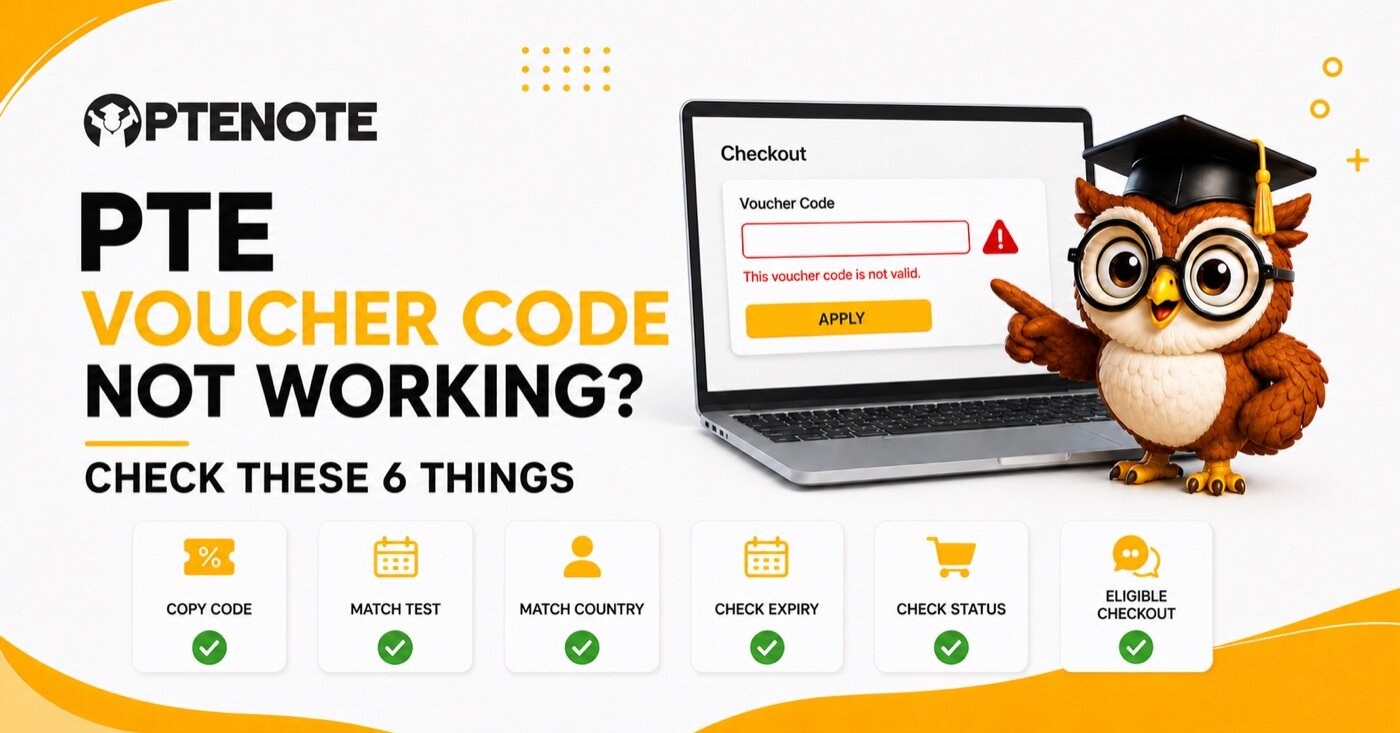
- First check the code, PTE test, booking country, expiry date, voucher status and payment screen.
- Make sure you are using an exam-payment voucher, not a preparation-product access code.
- A voucher can pay an eligible test fee. It cannot pay a rescheduling fee.
- If the code still fails, save the complete error and contact the correct support team.
- Keep the full voucher code private.

You have selected your PTE appointment and reached the payment screen. You enter the voucher code, but Pearson does not accept it.
Does this mean your PTE voucher is invalid? Not always.
The code can fail because one character is wrong, the selected test or country does not match, the voucher has expired, the code was already used or you are trying to pay an ineligible fee. A temporary browser or session problem can also stop the payment screen from working correctly.
Do not buy another voucher or make a card payment immediately. Follow the checks below in order. They will help you find the likely cause without creating a second payment problem.
Is It a PTE Exam Voucher or a Preparation Access Code?
A PTE exam voucher and a preparation access code are not the same. They are used on different websites and for different purposes.
| Type of code | What it does | Where you use it |
|---|---|---|
| PTE exam voucher | Pays toward an eligible PTE exam fee. | The voucher or promo-code field during eligible Pearson exam checkout. |
| Preparation access code | Opens a Pearson preparation product, such as a guide or question bank. | The registration or access page for that preparation product. |
Check the product name in your order and delivery message. If you enter a preparation access code in the exam-payment field, Pearson will not treat it as a test voucher.
What Does the PTE Voucher Error Mean?
The exact words on the screen can vary. An error message does not always tell you the final cause. Use it as a starting point.
| Message or situation | What to check first | Next action |
|---|---|---|
| Invalid voucher code | Code entry, selected test, country and expiry | Complete all six checks below. |
| Already used or redeemed | Earlier booking, cancellation or voucher status | Check myPTE and contact the voucher seller or issuer. |
| Voucher field is missing | Whether you are booking a new eligible test or changing an appointment | Return to the correct new-test checkout. Do not use the voucher for a rescheduling fee. |
| Voucher accepted but no appointment appears | myPTE activity, receipt and confirmation email | Check the booking status before paying again. |
| Page or technical error | Browser, session and internet connection | Save the error, refresh once and follow the browser checks below. |
What Does a PTE Exam Voucher Do?

A PTE voucher is a prepaid exam-payment code. You apply it during an eligible Pearson checkout instead of making the covered payment by card.
The voucher is not an appointment. It does not reserve a test centre, date or time. You still sign in to your myPTE account, select an available appointment and finish the booking.
These are three separate stages:
- Voucher delivered: you received the code.
- Voucher accepted: Pearson accepted it for that payment.
- Appointment confirmed: the booking appears in myPTE and you receive confirmation.
If you need the complete purchase and redemption process, read our PTE voucher guide. The rest of this article focuses only on fixing a rejected or invalid PTE voucher code.
Which Six Things Should You Check When a PTE Voucher Code Is Not Working?
Complete these checks in order. Keep the full voucher code private while you work through them.
1. Did You Copy the Complete Voucher Code Correctly?

Copy the code again from the original WhatsApp message. Do not type it from memory or copy it from a cropped screenshot.
Check for:
- a space before or after the code;
- a space inside the code;
- a missing or repeated character; and
- a letter that looks like a number.
Clear the old entry, paste the complete code once and apply it. Do not add or remove dashes unless the original message shows them.
2. Does the Voucher Match the PTE Test You Selected?

PTE Academic, PTE Academic UKVI and PTE Core are different tests. A correct code can be rejected when the selected test does not match the voucher.
Read the full test name in the booking summary. Compare it with the package and voucher confirmation.
Do not change the test only to make the voucher work. First confirm which test your university, visa route or immigration programme requires.
3. Does the Booking Country Match the Voucher?

PTE vouchers can be limited to a test and country. Pearson states that a voucher selected for one country cannot be used for another country.
The important country is where you will take the exam, not where you are using your phone or computer.
For example, an India voucher should not be treated as a worldwide code. Check the country and test-centre location shown in Pearson checkout. The payment currency can also help you notice that the wrong country was selected.
4. Is the Voucher Within Its Exact Expiry Date?

Check the exact expiry shown with the package and in the voucher delivery message. Do not use the validity of another package as your reference.
Pearson states that the test must be taken by the expiry date printed on the voucher. Pearson also states that voucher expiry dates cannot be extended.
This means the selected exam date matters. Entering the code before expiry is not enough when the test date falls outside the voucher condition.
5. Was the Voucher Already Redeemed or Allocated?

A PTE voucher is normally used for one eligible exam payment. It is not a reusable balance.
Check whether:
- Pearson accepted it during an earlier booking;
- an appointment was completed with it;
- the code was shared with another person;
- it was allocated to a candidate; or
- an earlier appointment was cancelled after redemption.
Cancelling an appointment does not automatically turn a redeemed voucher into a new unused code. Check your myPTE activity, receipts and earlier confirmation messages.
Never post the full voucher code in a public comment, group or screenshot. Treat it like a prepaid payment method.
6. Are You Using the Voucher in an Eligible Checkout?

Use the voucher during the checkout for a new eligible exam. Enter it in the voucher or promo-code field before completing payment.
Pearson’s payment policy states that vouchers can pay a test fee, not a rescheduling fee. A valid code can therefore fail when you try to use it while changing an existing appointment.
After you apply the code, read the payment summary. When the voucher covers the selected exam fee, the payable amount becomes zero. Finish the checkout and wait for the official appointment confirmation.
What Browser Checks Should You Try?
Try these checks only after confirming the code, test, country, expiry, voucher status and checkout type. A browser change cannot fix an expired or incompatible voucher.
- Save a screenshot of the complete error.
- Refresh the payment page once.
- If the error remains, sign out and sign in again.
- Close extra Pearson booking tabs.
- Use the latest version of a modern browser.
- Open the booking again and apply the code once.
Pearson recommends updating the browser when it does not meet current security requirements. Do not keep submitting the payment many times. Repeated attempts can make the booking status harder to understand.
What Should You Do If the PTE Voucher Still Does Not Work?

If every check matches and the voucher is still rejected, stop trying it and collect the information needed for support.
Save the complete error. Capture the message and enough of the checkout to show the selected test and country. Hide your full voucher code, name, email address, phone number and payment details.
Keep the purchase records. Save the order reference, payment confirmation, GST invoice and original voucher delivery message.
Write down the booking details. Note the selected PTE test, country, centre and intended exam date.
When Should You Contact Us?
Contact us when you bought the voucher from us and need help with:
- voucher delivery;
- the purchased package or its eligibility;
- the expiry information supplied with the order;
- the order or payment record; or
- a check of the voucher status connected to your purchase.
Send your registered mobile number, order reference and protected screenshot through our verified support channel.
When Should You Contact Pearson?
Use official Pearson support when the problem is inside your myPTE account, Pearson booking flow or Pearson payment screen. Pearson can also help when the appointment status or receipt is unclear.
Use Pearson’s booking and test-management help page for the current support options.
Do not pay again until you understand the first voucher’s status. A second voucher or card payment can create another issue.
FAQs
Why Does Pearson Say My PTE Voucher Is Invalid?
The code can be entered incorrectly, matched with the wrong test or country, expired, already used or entered in an ineligible checkout. Complete the six checks before deciding that the voucher itself is invalid.
Is a PTE Exam Voucher the Same as a Preparation Access Code?
No. An exam voucher pays toward an eligible test fee. A preparation access code opens a Pearson preparation product. Use each code on the page made for that product.
Where Do I Enter a PTE Voucher Code?
Enter it in the voucher or promo-code field during eligible Pearson exam checkout. Apply it before completing payment and check that the total changes as expected.
Why Is the Voucher Field Not Showing?
First check whether you are paying for a new eligible test or a rescheduling fee. Pearson states that a voucher can pay a test fee but not a rescheduling fee. If you are in a new-test checkout and the field is still missing, save the screen and contact Pearson support.
Can I Use an India PTE Voucher in Another Country?
Do not assume that you can. Pearson states that vouchers are valid only for the selected test and country. Use an India voucher for an eligible exam booking in India.
Can I Reuse a Voucher After Cancelling My Appointment?
Do not assume that cancellation restores the code. A redeemed voucher does not automatically become an unused voucher after cancellation. Check the booking and voucher status under the current terms.
Why Did the Voucher Apply but My Exam Is Not Booked?
Applying the voucher is only part of checkout. Complete the booking and check your myPTE account, confirmation email and receipt. Do not make another payment until the first booking status is clear.
How Can I Buy the Correct PTE Voucher from Us?
Open our PTE voucher page, enter your name, email address and mobile number, and continue to the pricing page. Review the live packages, choose the voucher that matches your test and country, and complete payment. We send the voucher code through WhatsApp. Check the live package for the current price, expiry, eligibility, refund terms and included mock-test validity before paying.
Is Automated Exam Booking Easier Than Using a Voucher?
It can be easier when you do not want to complete Pearson checkout yourself. With our PTE exam booking service, our 24/7 automated process completes the eligible appointment after you check and approve the booking details. A voucher is suitable when you want a prepaid code and prefer to finish the Pearson booking yourself.
Read our complete PTE exam-booking guide if you want to compare the full booking journey before choosing.
Conclusion
When a PTE voucher code is not working, do not pay again immediately. Copy the code carefully, match the test and country, check the expiry, confirm its status and make sure you are using an eligible new-test checkout.
If the code still fails, save the complete error and your purchase records. Contact us for an order or voucher issue, or contact Pearson when the problem is inside myPTE or Pearson checkout. Keep the full voucher code private throughout the process.
References and Useful Resources
- Our PTE voucher options — check the current package, test, country, expiry and inclusions.
- Complete PTE voucher guide — understand the full purchase and redemption journey.
- Our Refund and Cancellation Policy — read the latest published terms.
- Pearson VUE PTE voucher information — review official test, country and expiry rules.
- Pearson booking and test-management help — review official payment, booking and support information.
- Pearson PTE Payment Policy — confirm the current voucher-payment rules.
- Pearson myPTE account help — review current account and browser guidance.